- Help
- Students
Medical Information
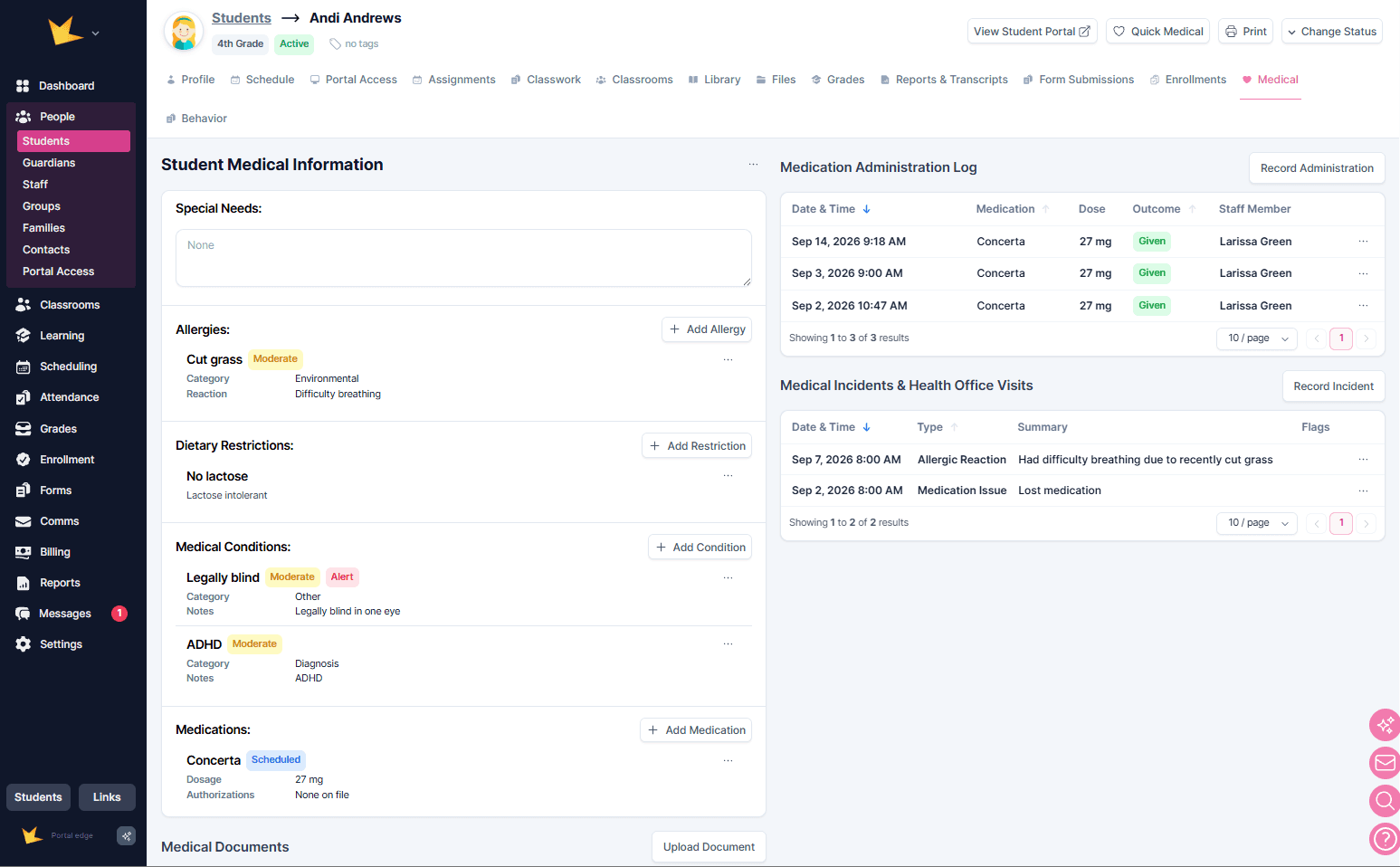
Medical information about a student can be stored on the Medical tab of their profile. Staff can record medical notes, upload medical documents, track medication administration, and log medical incidents and health office visits.
Medical Notes
Medical Notes allow you to keep important medical information for each student. Categories include:
- Disabilities
- Special Needs
- Allergies
- Dietary Restrictions
- Medications
Medical information can be entered manually by staff or collected through the enrollment application.
Once notes have been entered, they can be converted to Structured Notes. Structured Notes organize free-form information—such as medical details provided by a guardian during enrollment—into standard labels, making the information easier to view, search, and manage.
Medical Documents
Medical Documents allow you to store important health-related documents, such as medication authorizations and immunization records. Documents can be uploaded in the Medical Documents section, found beneath the Medical Information section.
Documents can be given a range of Active dates to indicate when they are relevant. This makes it easier to identify documents that have expired and need to be updated.
Quick Medical
Once medical information has been recorded, staff can quickly review key details by clicking Quick Medical at the top of the student's profile.
Staff with limited access to student profiles can also view important medical information for students in their classrooms. From the classroom roster, click View Student to access the available student information.
Printing Medical Information
Medical information can be printed or downloaded as a PDF from the student section. Click Print and select Medical Info to generate a printable version of the student's medical information.
Medication Administration Log
The Medication Administration Log provides a record of medications administered to a student.
To record medication administration, click Record Administration in the Medication Administration Log section of the Medical tab. Unsuccessful attempts to administer medication can also be recorded.
Medical Incidents & Health Office Visits
Medical incidents and health office visits can be recorded on the Medical tab. Click Record Incident to log either type of event.
Medical incidents can also be flagged for future reference and marked to indicate whether follow-up is needed.