- Help
- Guardians & Families
Guardian Portals
Guardian Portal Access
To give guardians access to their Guardian Portal, first grant them portal access and send an invitation email. The guardian must then accept the invitation and log in to the portal.
Portal access can be granted to individual guardians from their profile or to multiple guardians at once from the Portal Access page.
To grant access to multiple guardians:
- Go to People → Portal Access.
- Select the Guardians tab.
- Make sure each guardian has an email address on file. Add one if needed.
- Click Send Portal Invites to send each staff member an access email.
To grant access to an individual guardian:
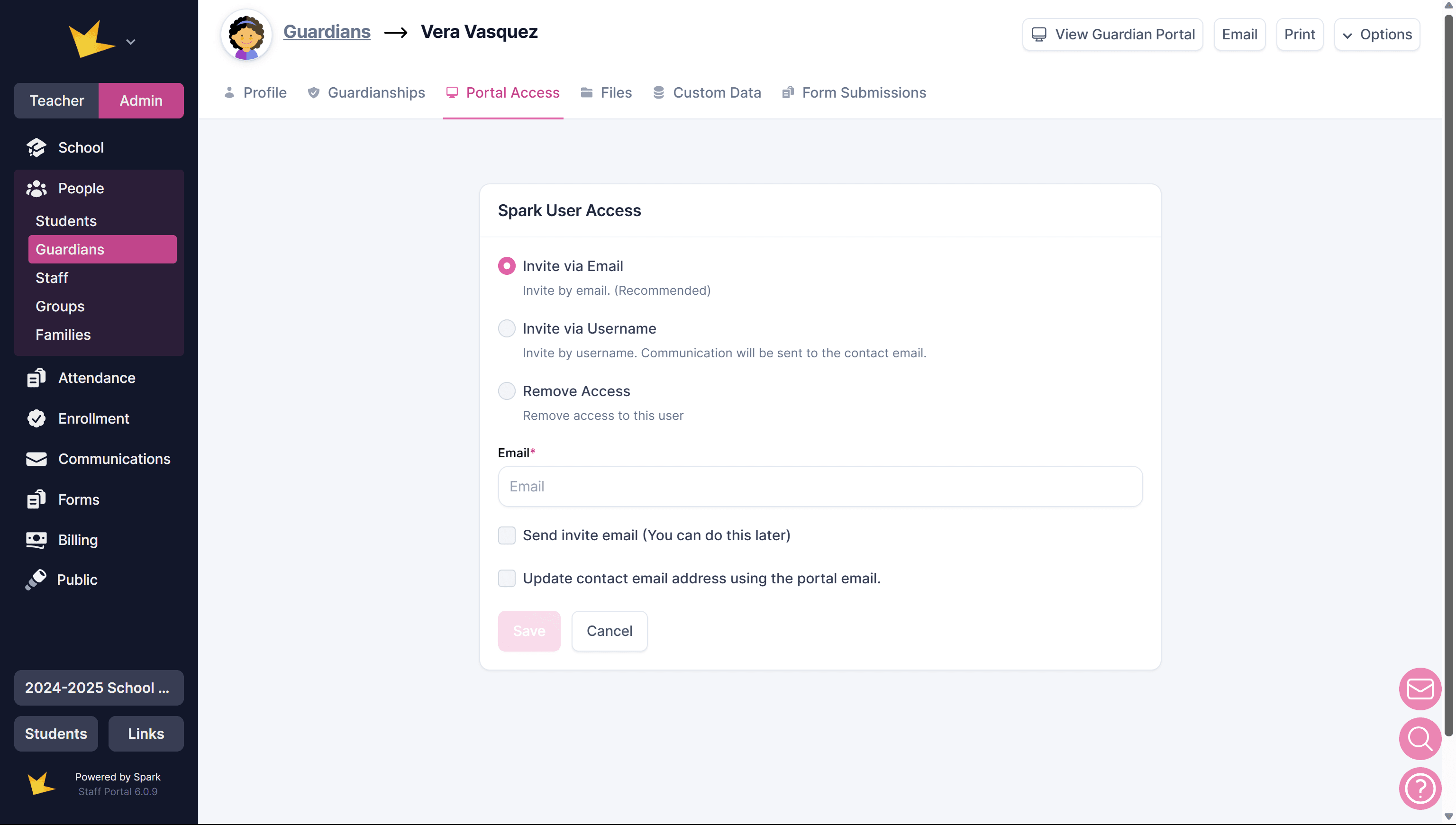
- After creating the guardian, go to the Portal Access tab.
- In the Spark User Access section, invite the guardian using either their Username or Email.
- Choose whether to send the invitation email immediately or later.
- Click Save to finalize the access invitation.
Accepting the Invitation (Guardian Steps)
- The guardian must accept the email invitation to access your Spark school.
- After accepting, they’ll be prompted to create a password and enter a verification code sent by email.
- Once these steps are complete, they can log in to their guardian portal.
Logging In to the Guardian Portal
Once a guardian has accepted the invitation to the Spark portal, they can log in at any time from www.sparkyourschool.com.
Onboarding Guardians and Students
To help families understand Spark and how to access their portal, share the following documents, or use the Custom Email template, "Welcome/Onboarding for Guardians."
Resources for welcoming and onboarding families
Guardian Portal Features
Guardians can use the portal to view important information about their school and students, including:
- The school calendar
- Their student's class schedule
- Student assignments
- Student grades
- Student behavior reports
- School announcements
Guardians can also use the portal to:
- Pay invoices
- Update their personal and student information
- Upload important documents
- Complete forms
- Communicate with teachers
Posting Information in the Guardian Portal
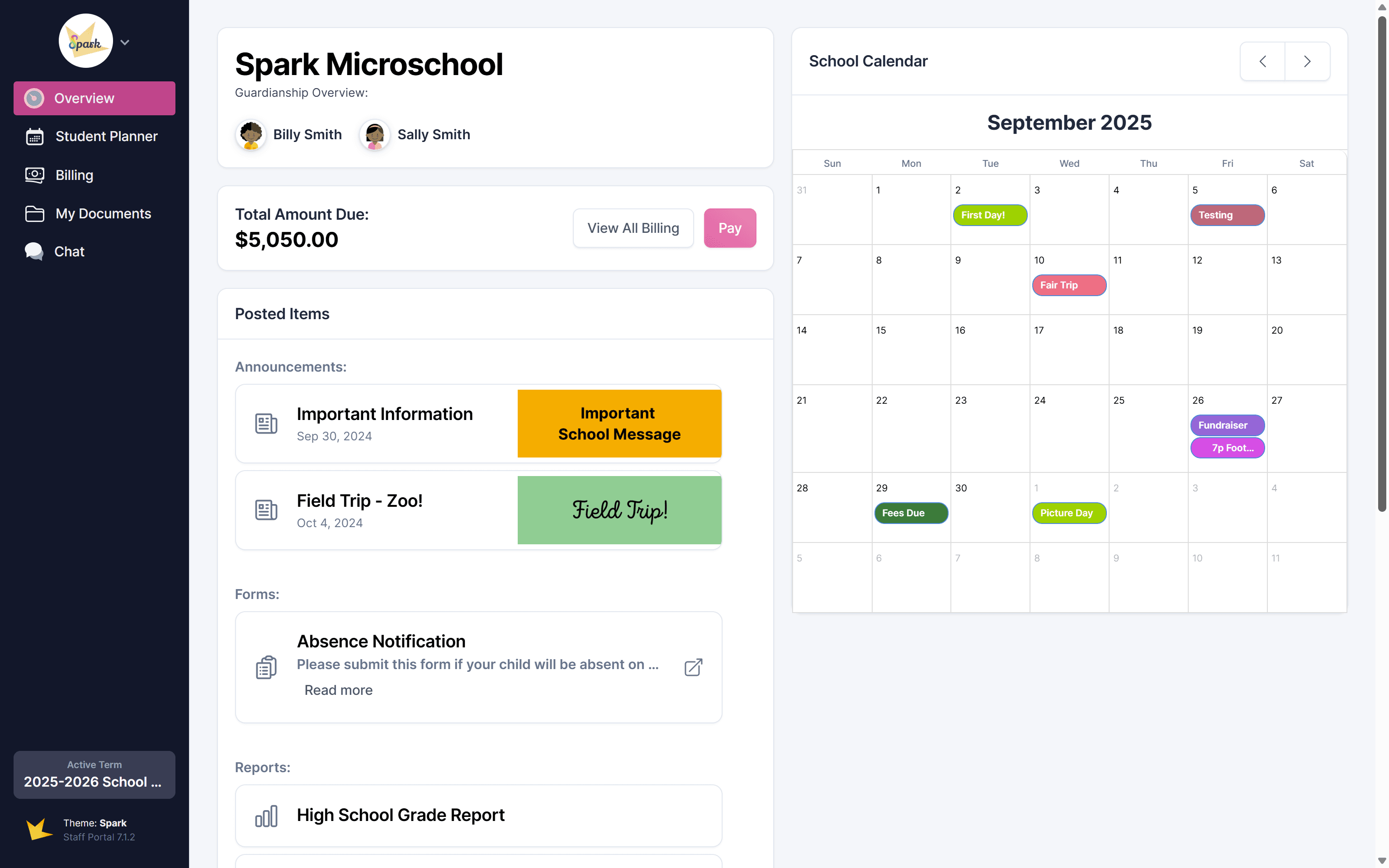
Creating guardians enables you to to conveniently provide them with information about their students and the school, including the school calendar, student assignments, billing information, forms, and announcements.
Calendars & Schedules
Guardians can view school events on the main calendar on their Overview page. They can also view their student’s daily schedule on Calendars → Daily Schedule and academic year dates on Calendars → Calendar.
School Events
To display school events on the Guardian Portal, select the appropriate Visibility option when creating the event.
School events are created from Scheduling → Event Calendar.
Academic Year Dates
To display academic dates such as school days, holidays, and other day types, create a Session and set up the appropriate day types on the Academic Calendar.
Sessions are created from Scheduling → Sessions, and academic calendars are created from Scheduling → Academic Calendar. See the Academic Calendar help doc for more information.
Daily Schedule
To allow guardians to view their student’s daily schedule, make sure the correct Visibility settings are selected for each scheduling block.
- Scheduling blocks with participants: Select "Guardians of students in participation" in the Visibility section.
- Scheduling blocks without specific participants: Select "All guardians" in the Visibility section.
Schedules can be created within a classroom or using the school-wide scheduler under Scheduling. To learn more, see the Daily Scheduler help doc.
Student Assignments
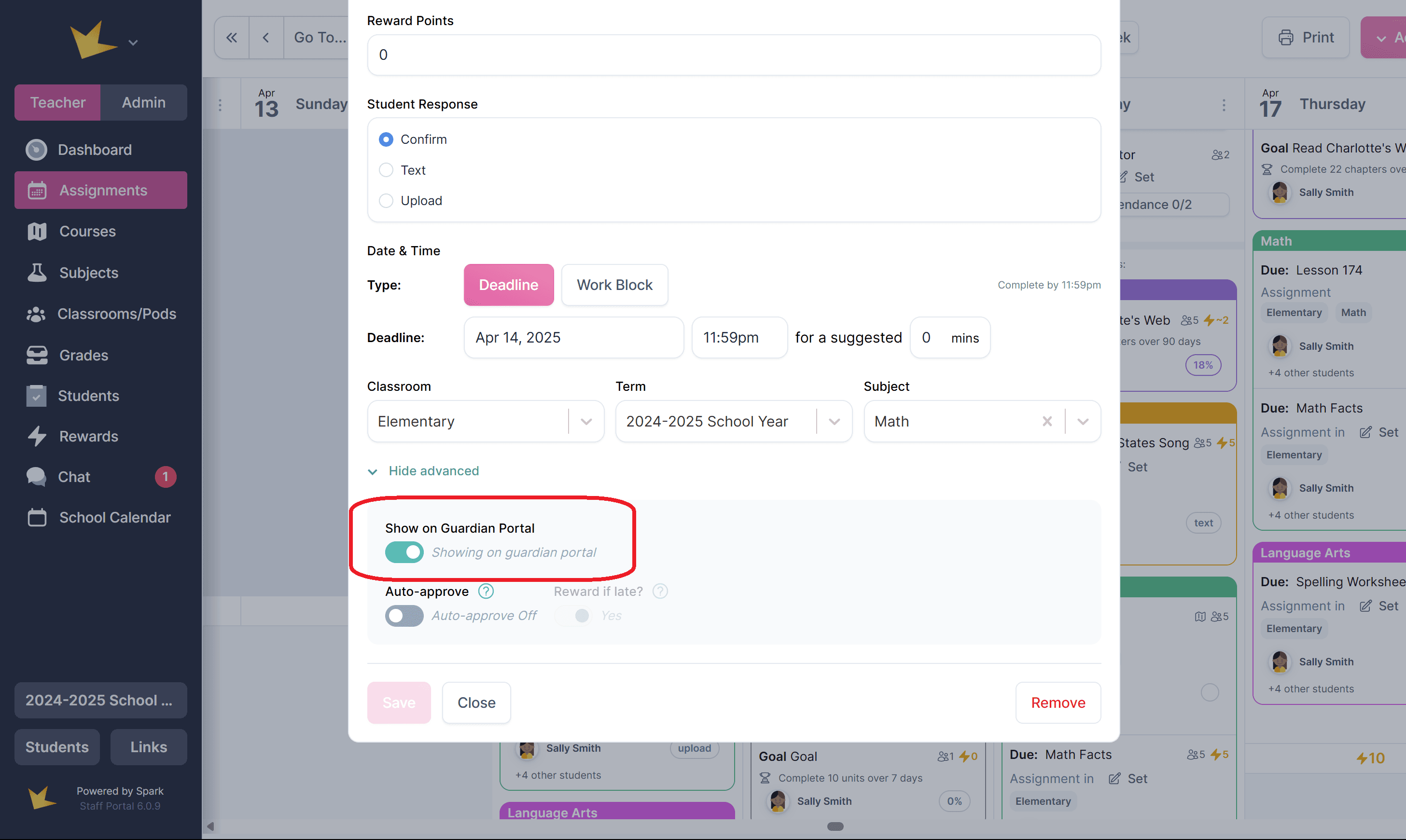
All assignments, goals, and events that you create for the guardian's student(s) on your Student Planner will appear on the Guardian Portal's Student Planner automatically. To remove an assignment or event from the planner, use the toggle in the Advanced Settings section of the assignment or event.
Grades
Grades can be shared with guardians in two ways: Live Grades (real-time access) or grade reports. Jump to this section to learn how to post grade reports on guardian portals.
To share Live Grades with guardians:
- Go to Grades and open the grade record.
- Select Settings.
- Toggle Enable Live Grades for Guardians on.
- Click Save.
Once enabled, guardians will be able to view their student’s grades as soon as they’re recorded in the grade record.
Files
There are two ways to share files to guardian portals
Post Files to the Main Guardian Portal Page
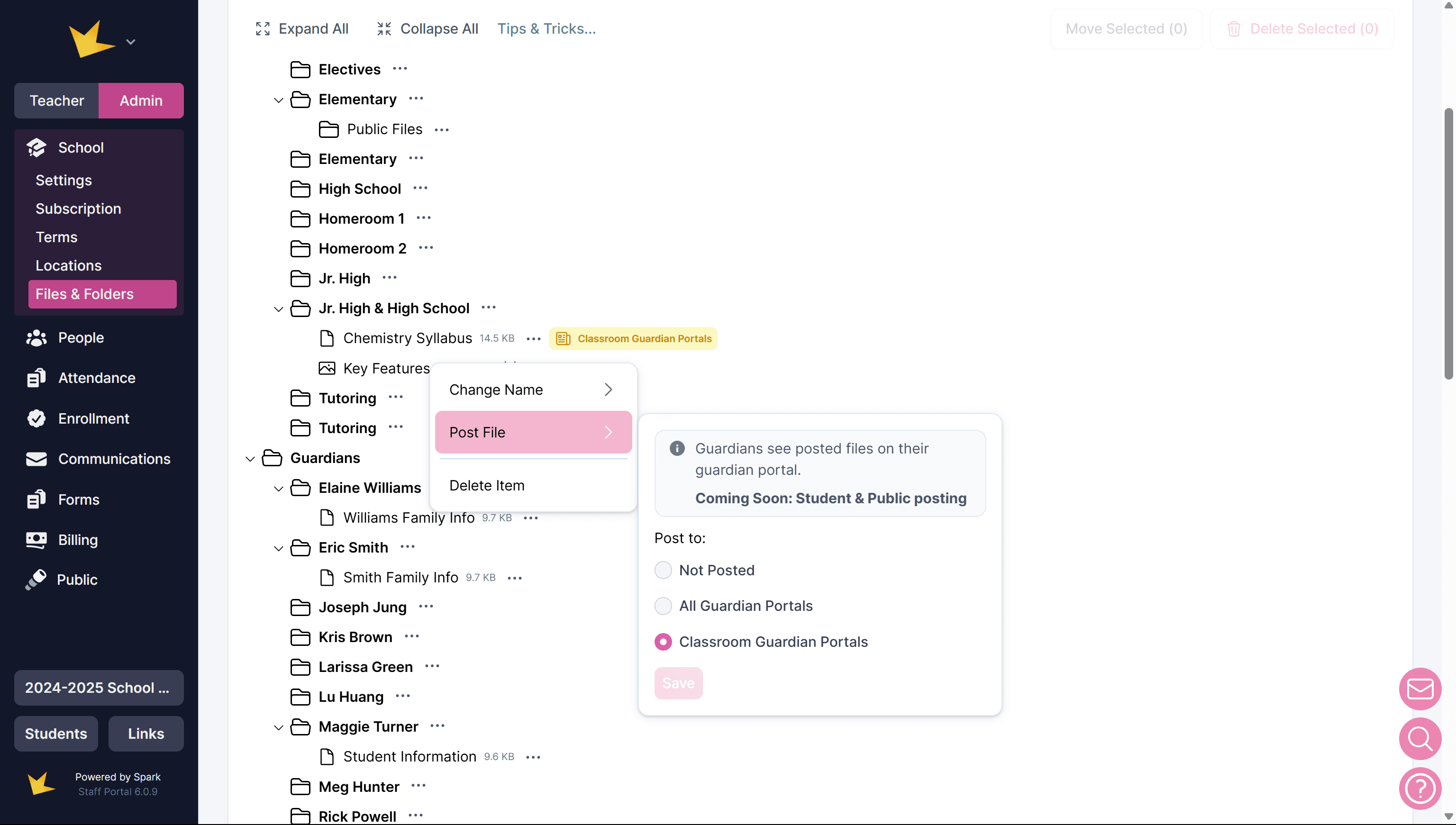
- Go to Files & Folders.
- Select the file and click the three-dot menu.
- Choose Post File and select whether to post it to All Guardian Portals or Classroom Guardian Portals.
- Use the same three-dot menu to delete or unpost the file.
Files posted to guardian portals will appear on the guardian's Files page and on their main page.
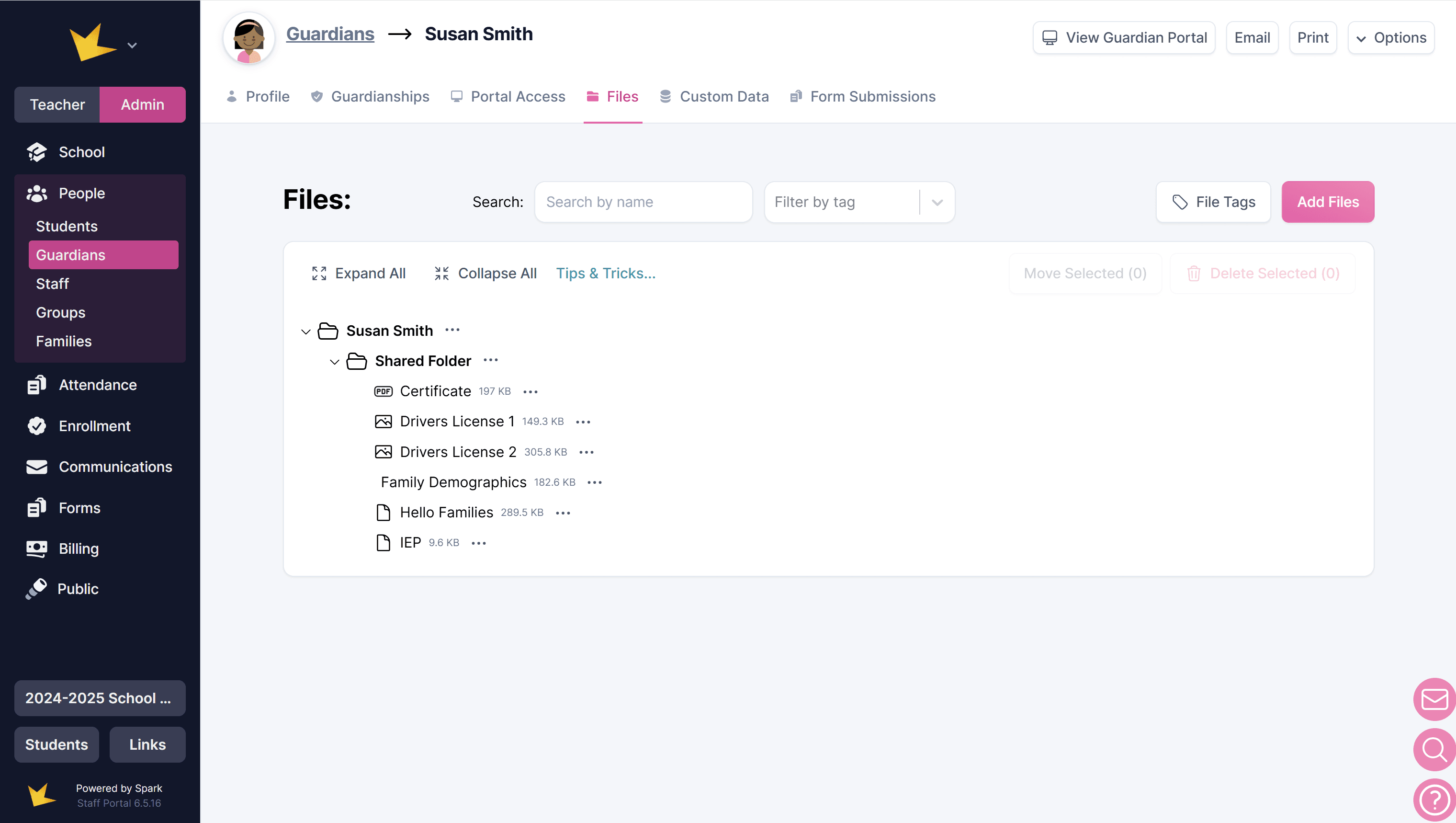
Share Files Using the Shared Folder
- Navigate to the guardian’s folder—either from the Files & Folders page or by opening the Files tab within the guardian’s profile.
- Open the Shared Folder.
- Upload the desired documents to this shared folder.
Any files uploaded to the guardian’s shared folder will automatically appear on their Files page in the guardian portal.
Guardians can also use the shared folder to upload files for the school's records.
Forms
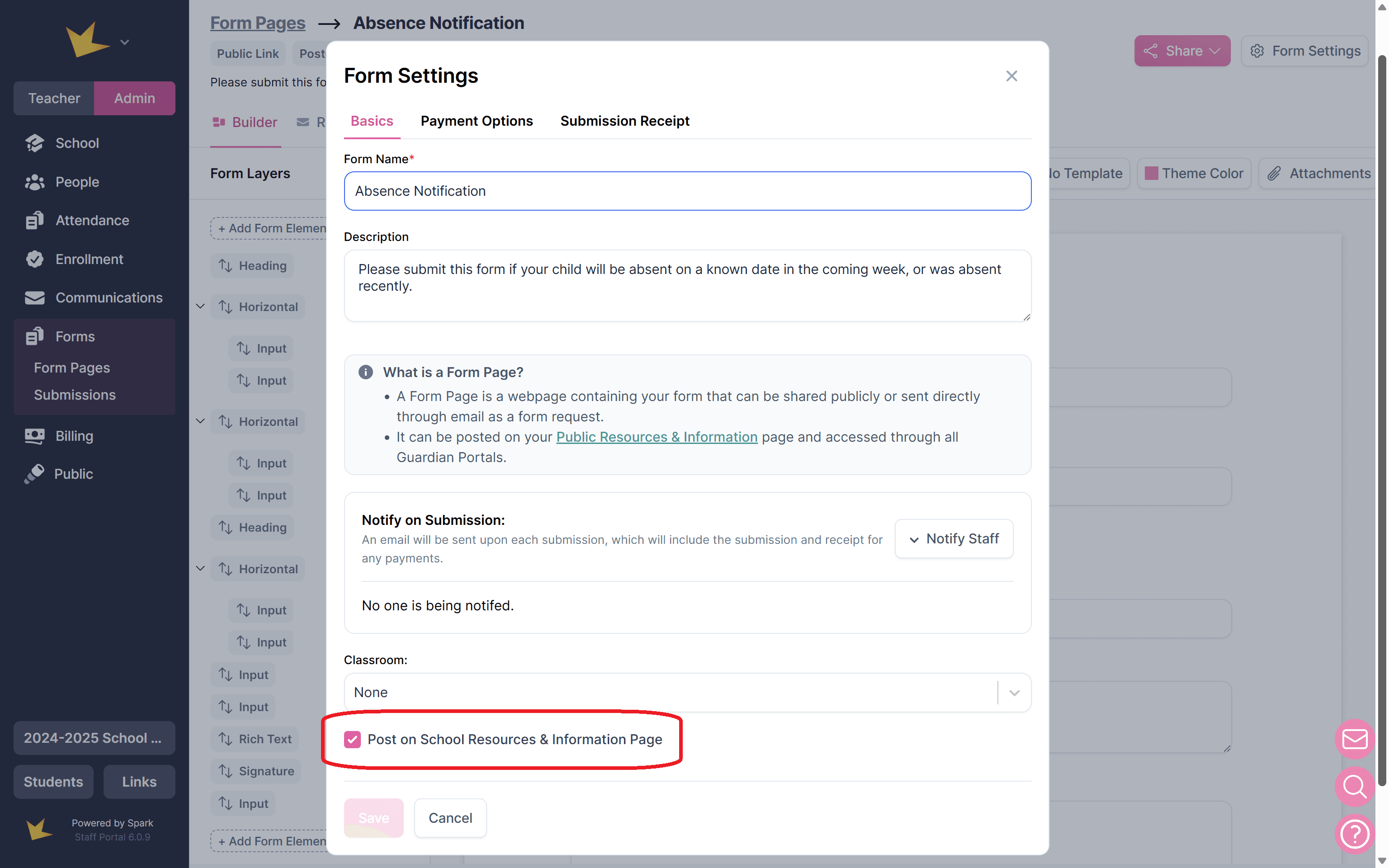
- Navigate to Forms and open or create the form.
- In the Settings modal of the form, check Post on School Resources & Information Page. This will make the form available on both the public page and the guardian portal.
- To remove the posted form, simply uncheck the Post on School Resources & Information Page box.
Forms will be posted to the main page of the guardian portal.
Announcements
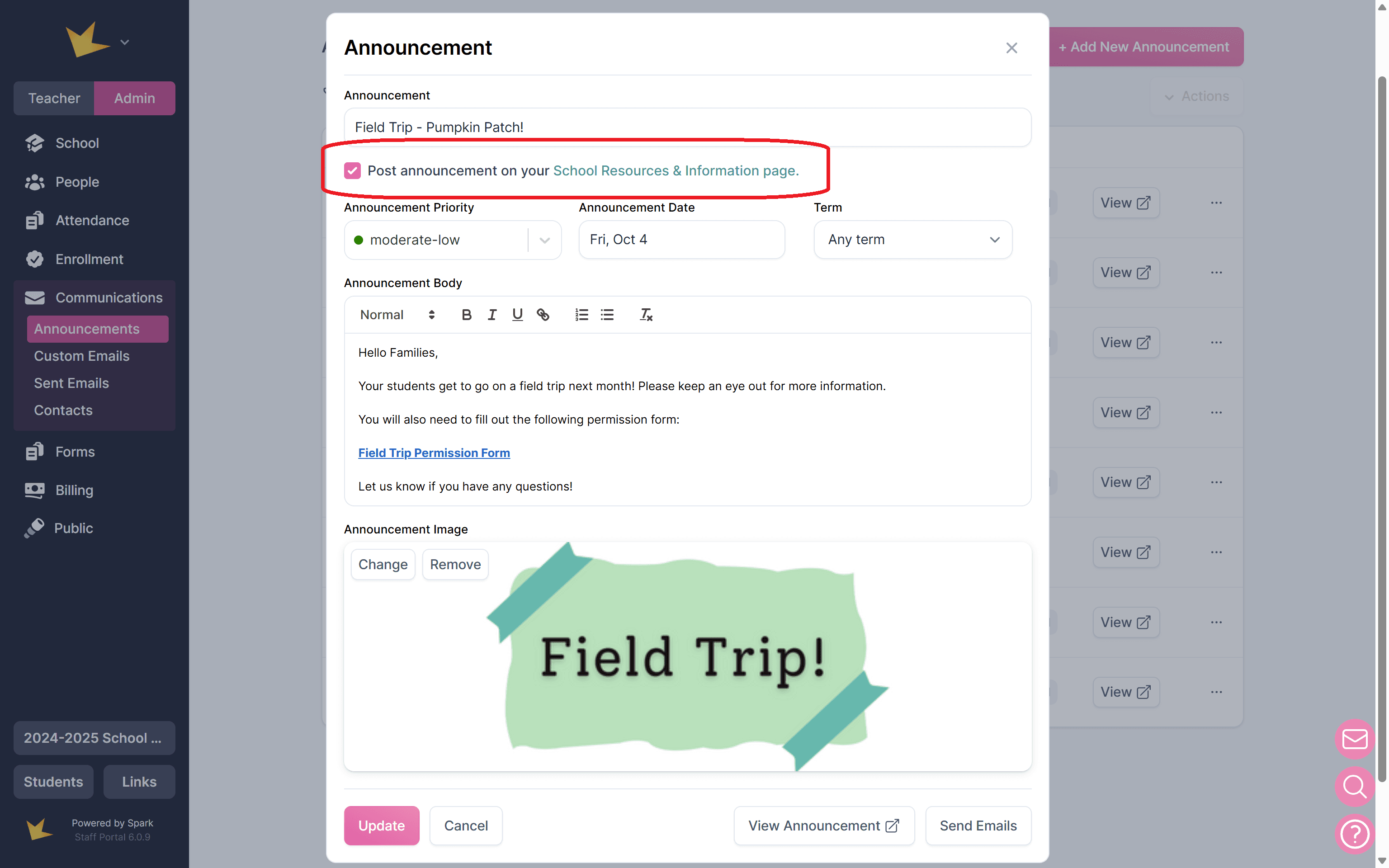
- Open the Announcements page.
- Create or open an announcement and check Post on School Resources & Information Page. The announcement will appear on both the public page and guardian portals.
- To remove the posted announcement, simply uncheck the Post on School Resources & Information Page box.
Announcements will appear on the main page of the guardian portal.
Grade or Attendance Reports
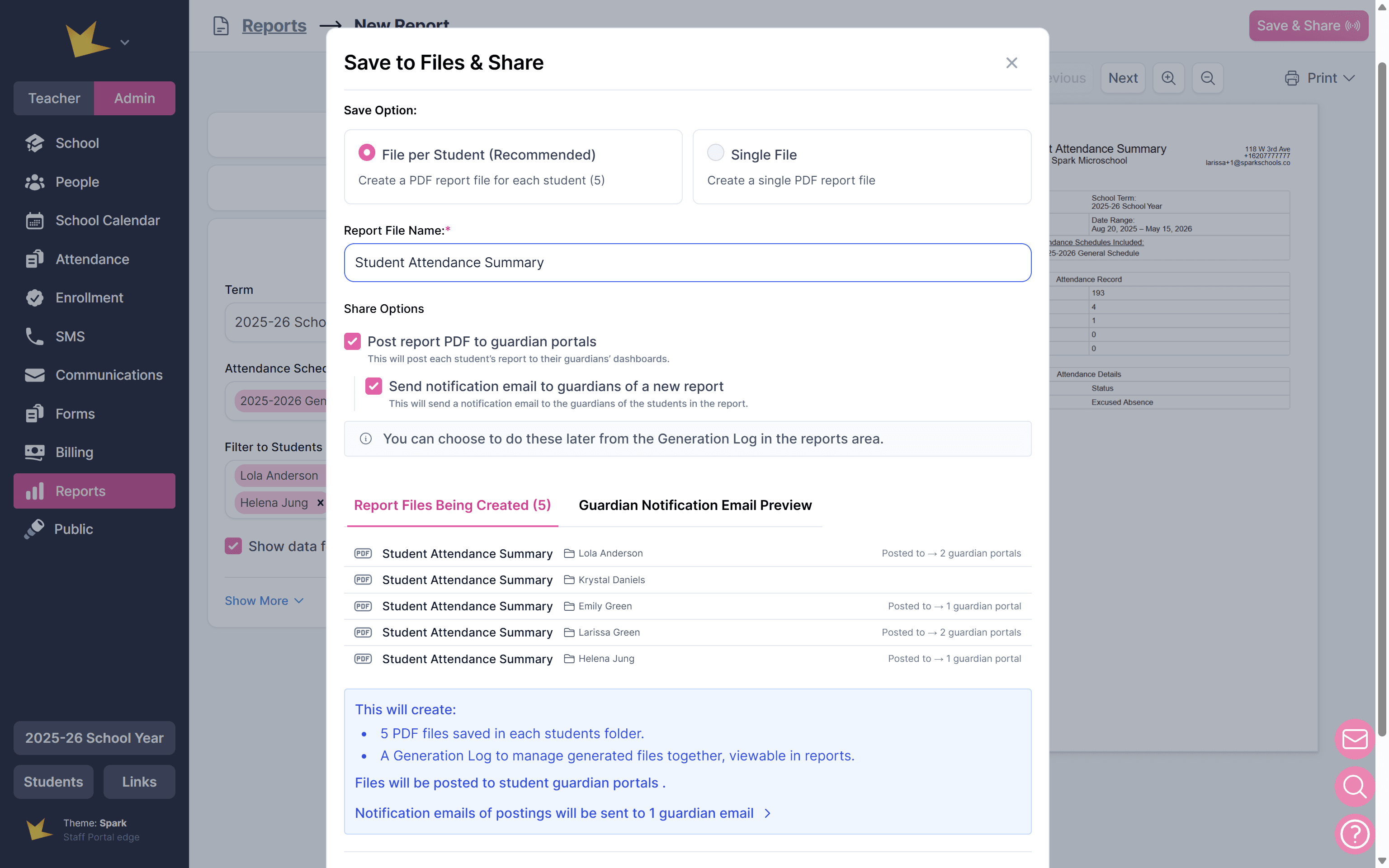
- Create the report.
- Click Save & Share in the top-right corner.
- Select the save option, "File per Student."
- Confirm the file name is accurate.
- Check the box "Post report PDF to guardian portals."
- Click Save Files & Share to finish.
Reports will be posted on the guardian's Reports page.
Behavior Reports
Any time you log a student's behavior, whether positive or a behavior incident, you have the option to post the report to the guardian portal. Guardians can view the report on the Behavior page on their portal, and it will include the description, severity level, and discipline action. If required, guardians can acknowledge the report directly on their portal.
Invoices
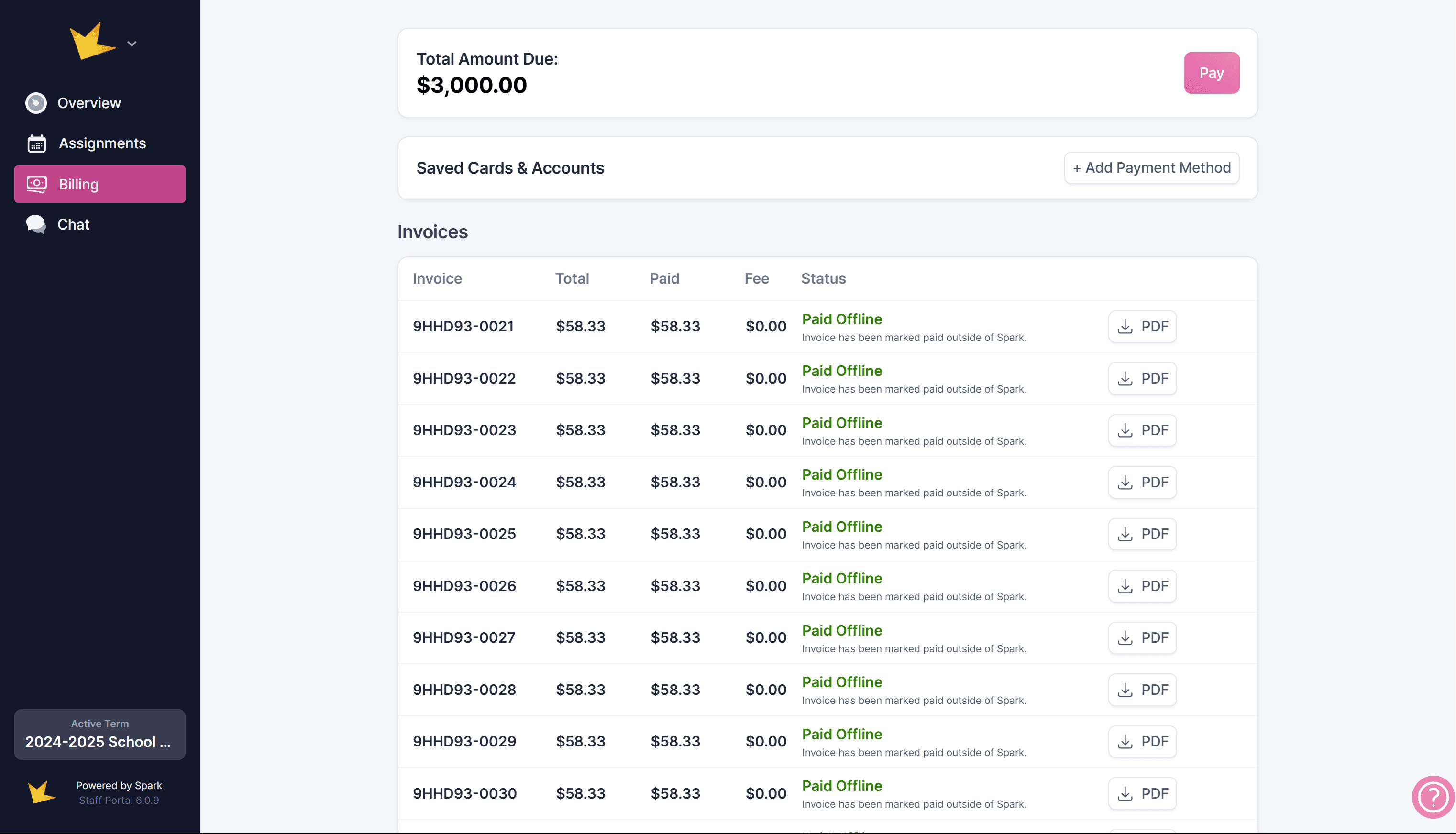
Invoices created for a guardian’s account are automatically posted to their portal for easy access. If your school has online payments set up, guardians can pay their invoices directly through their portal.
To enable online payments, refer to the Online Payments Help Docs.
Enrollment Applications
Applications for open enrollments can be made available on guardian portals.
To enable this, open the enrollment program, go to Settings, and turn on Open Enrollment. Then ensure that Open on Guardian Portals is also toggled on.
Guardian Portal Limitations
- School Events: Guardians can view, but cannot add or edit school events.
- Assignments:
- Guardians cannot submit assignments through the portal but can do so by logging into the student portal using the student’s login credentials.
- Guardians are also unable to create, edit, or grade assignments. To grant guardians these capabilities, they must be added as a staff member in your school with limited access to their own student(s). For more details, see the FAQ.
- My Info: Guardians can view their personal information, but can only edit if allowed by the school. They can view their student's basic information, but again, can only edit if allowed by the school.