- Help
- For Guardians & Students
Guardian Portal
👋 Welcome to the Spark Guardian Portal! This portal gives you a simple way to stay connected with your child’s school. You can log in to view events, invoices, forms, assignments, and more—all in one place.
🚀 Getting Started
1. Check your email
Your school will send you an email titled “Student Guardianship Assigned.” It will come from Spark.

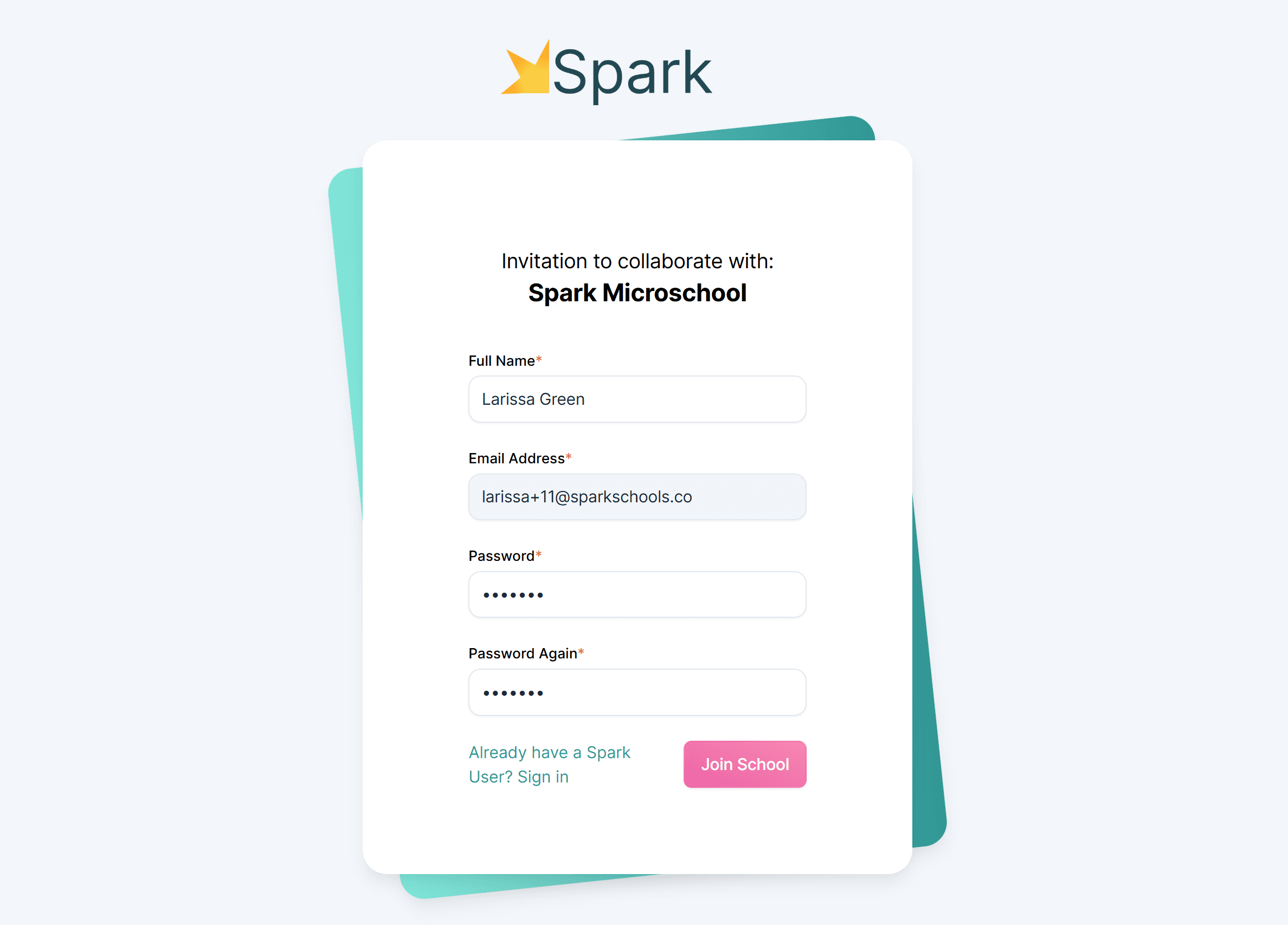
2. Set your password
- Open the email and click the button inside.
- You’ll be taken to a page where you can create your password.
- This password, along with your email address, will be your login credentials.
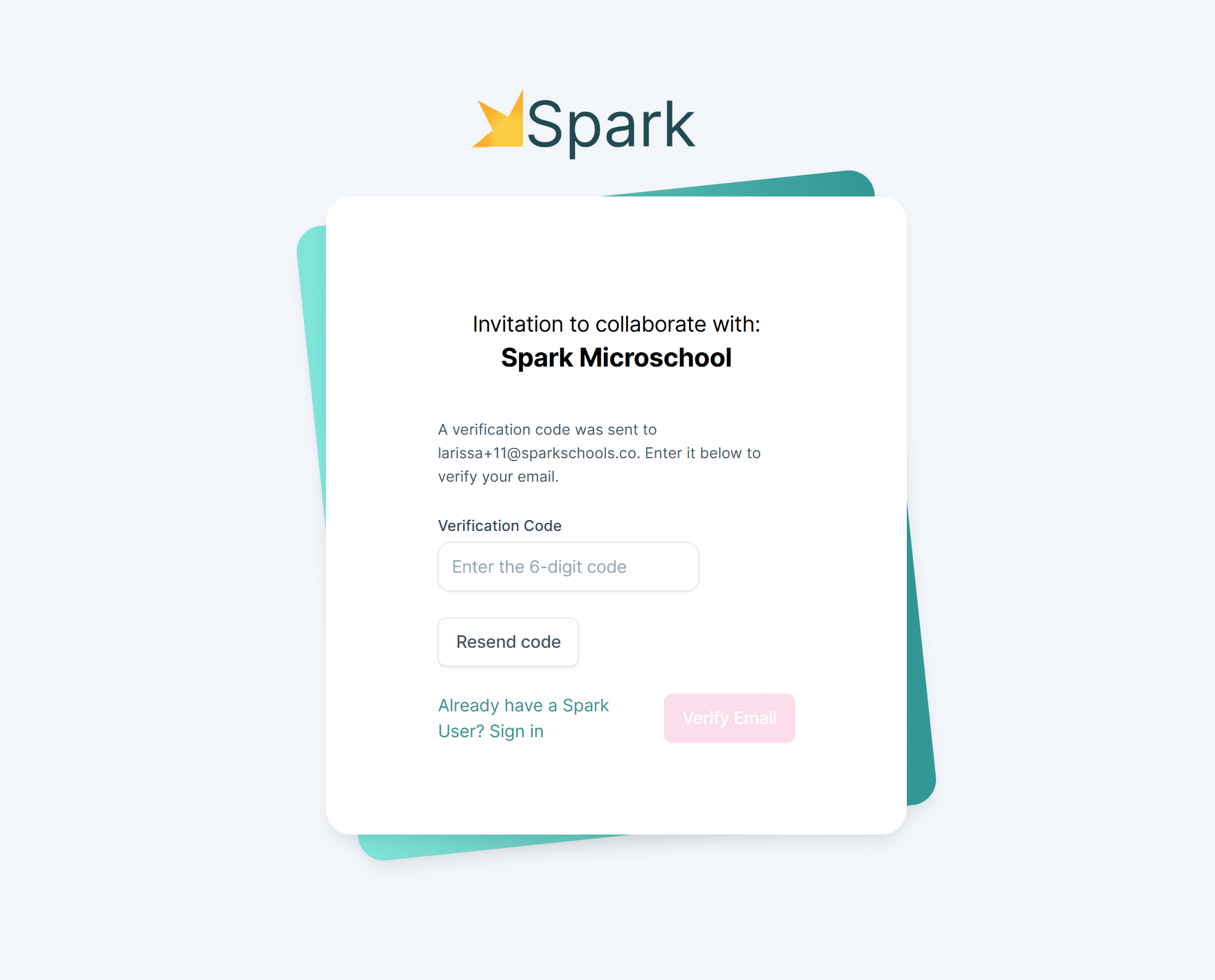
3. Verify your email.
- Use the code sent to your email to verify.
- Once verified, you will enter your Spark User and can go into your Guardian Portal.
4. Log in anytime
- Go to sparkyourschool.com
- Click Log In at the top right.
- Use your email and password to log in to your guardian portal.
↪️ Navigating
🏠 Overview Page
After logging in, you’ll land on your Overview Page. Here you’ll find:
- School contact information
- Your student(s)
- The school calendar
- Invoices
- Announcements
- Forms
- Reports and files
Tips:
- Click on a calendar event to see more details or follow links.
- Click on announcements, reports, or files to view them.
- Click on a form to submit it.
- Click on an invoice to view or pay it.
Use the menu on the left to explore more features of your portal:
🙋 My Info
View the basic information on file for you and your student(s). Some schools let guardians edit this information; others only allow viewing. If something needs updating, contact your school directly.
📘 Assignments
See all of your student’s assignments and submissions.
- Click an assignment to view instructions, attachments, or teacher links.
- Click a submission to view your student’s work and teacher feedback.
📄 Reports
View your student’s grade and attendance reports anytime.
- Open, print, or save reports for your records.
- Stay informed about your student’s progress.
📊 Grades
View your students' grades in real-time.
- If teachers have enabled this, you can view the overall score for each class your student is enrolled in.
- Click Details to see more information, including the grade scale and individual assignment scores.
📅 Calendars
View your student's daily schedule, your school's academic calendar, and upcoming events.
- Daily Schedule: View the classes and activities each of your students is involved in each day.
- Academic Calendar & Events: View a color-coded calendar showing school days, holidays, and other important dates. You can also view school events and click on them for more information.
🌱 Behavior
The Guardian Portal helps you stay informed about your student’s behavior at school, including both behavior incidents and positive observations.
You can:
- Read the details of behavior reports
- Acknowledge that you received a report when acknowledgment is requested by the teacher
💳 Billing
Keep track of all invoices and payments.
- View past and future invoices.
- See payments made for forms.
- Save and store payment methods.
Note: Partial payment options may be available depending on your school’s settings.
📂 Files
Upload and view documents in your secure shared folder, and access all files that have been shared with you.
- Teachers and admins may share documents with you here.
- Schools may request uploads (e.g., driver’s licenses, birth certificates).
- All documents are stored securely for sensitive information.
💬 Chat
Communicate with teachers or your student.
- You’ll receive email notifications for new messages.
- Adjust notification settings under Chat Settings.
📩 Messages
Receive announcements and other communications from your school administrators or teachers.
- You can receive messages in the Spark app.
- Turn on app notifications to stay up to date with new messages.
📋 Applications
Manage your enrollment applications.
- Access new applications or continue partially-completed drafts.
- View or withdraw submitted applications.
📱 Guardian Mobile App
Stay connected with your school wherever you go! The Spark mobile app makes it easy to keep up with school communications and chat one-on-one with teachers, all from your phone.
Want to get started? Contact your school to find out if they’re using the app and to request an invitation to download it. We’re excited to help you stay connected!
🌟 Future Updates
Spark is working on improvements to the Guardian Portal to make it more streamlined and easier to navigate, so you can quickly find the information that matters most to you.
We’ll also be adding more features to the Spark app over time, including event and appointment calendars and student check-in and check-out.
❓Need Help?
If you have questions or need help navigating the Guardian Portal, please contact your school directly.