- Help
- Attendance
Recording Attendance
Where to Record Attendance
Once attendance schedules have been created, you can start recording attendance. Student attendance can be recorded in multiple locations:
- Needs a 'Lil Love (Dashboard)
- Student Planners
- Attendance pages
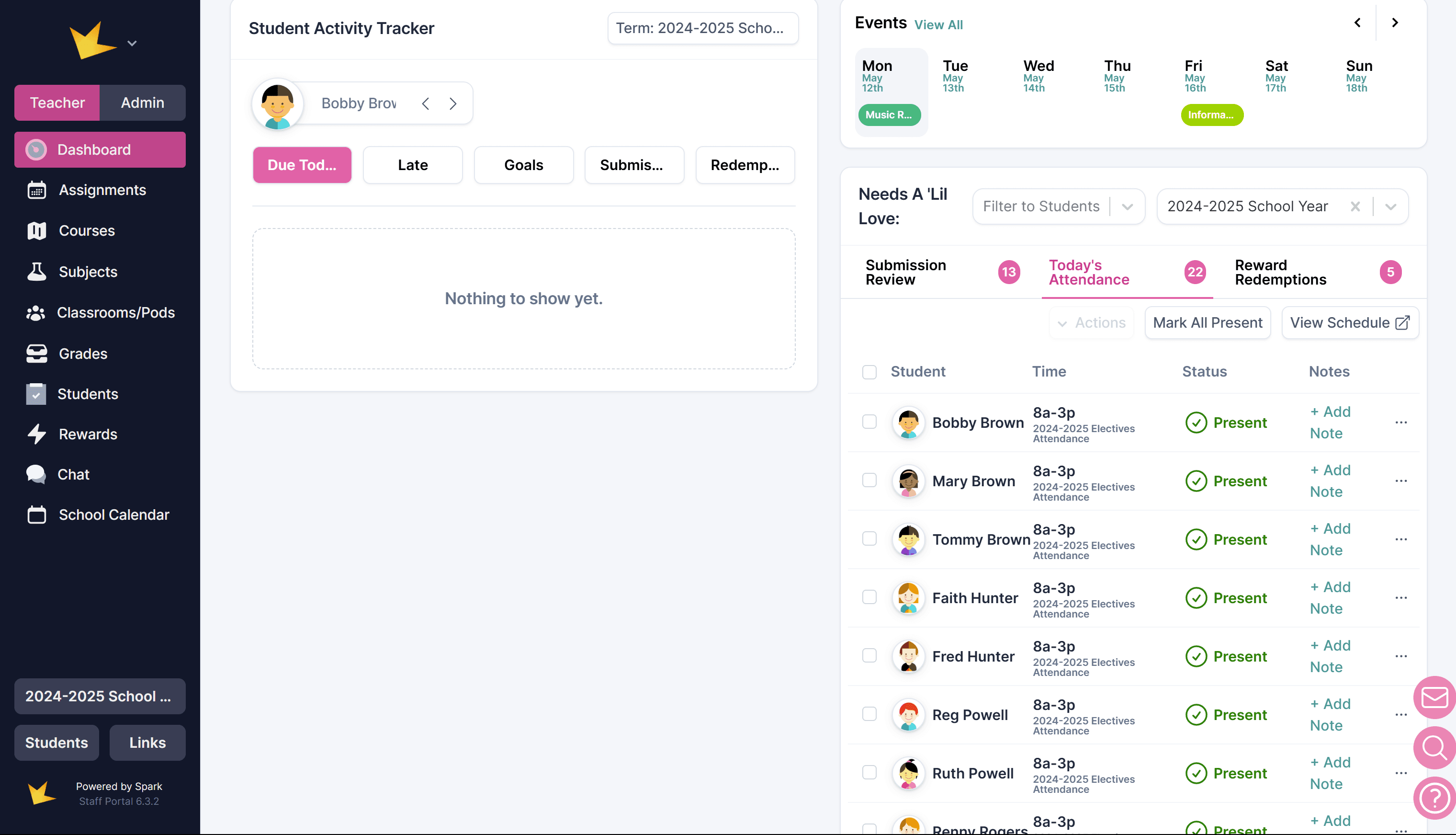
1. Needs a ‘Lil Love (Dashboard)
Go to your dashboard (on the Teacher side of the Microschool Version). At the bottom right is a section called Needs a ‘Lil Love. Click on Today’s Attendance and record the attendance for today.
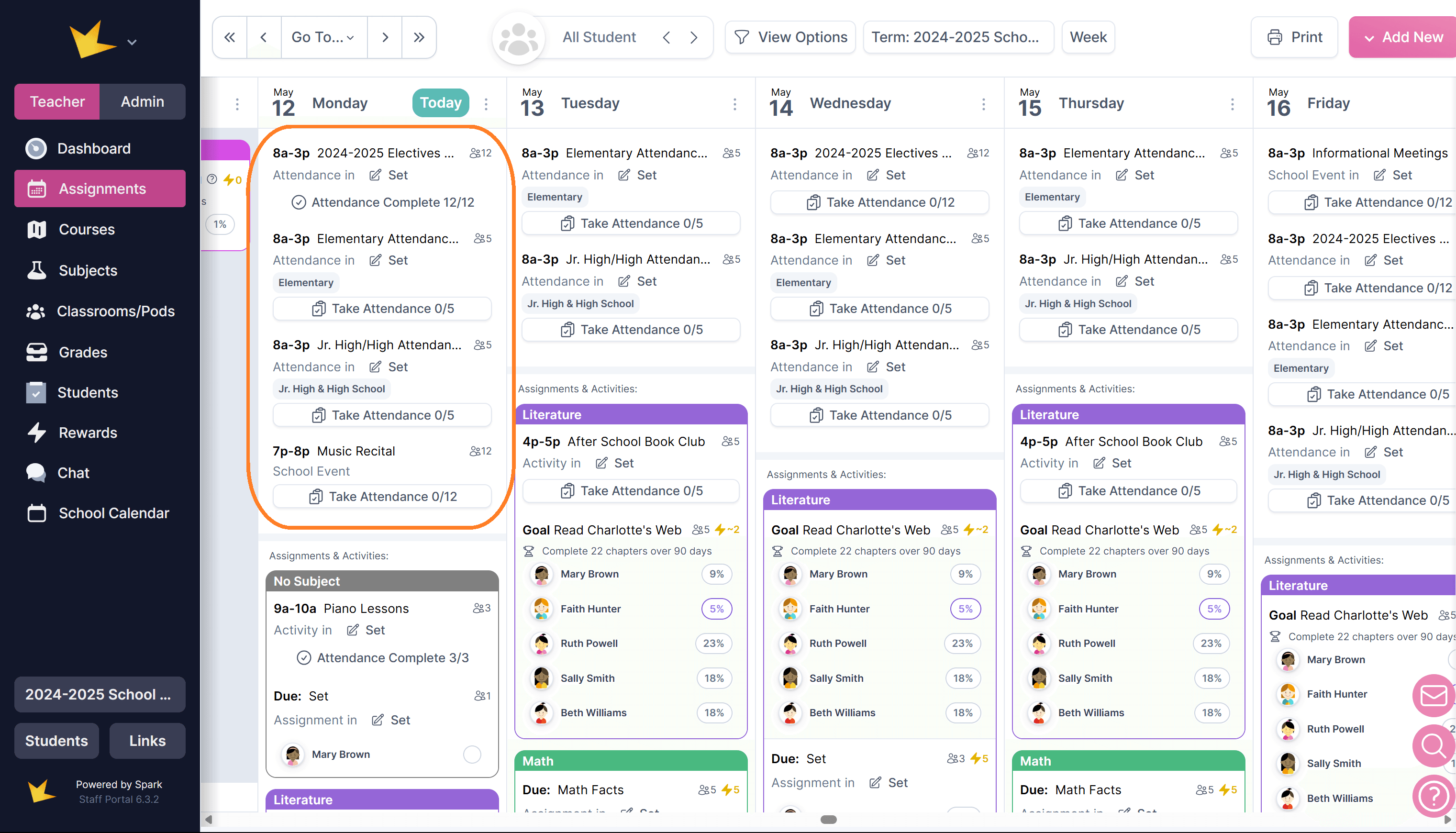
2. Student Planner
You can keep attendance for any event or general attendance schedule needed directly on the assignment calendar. Simply go to the Student Planner on the main navigation or in a classroom, find the day and attendance event, click on it, and record attendance for that event as usual.
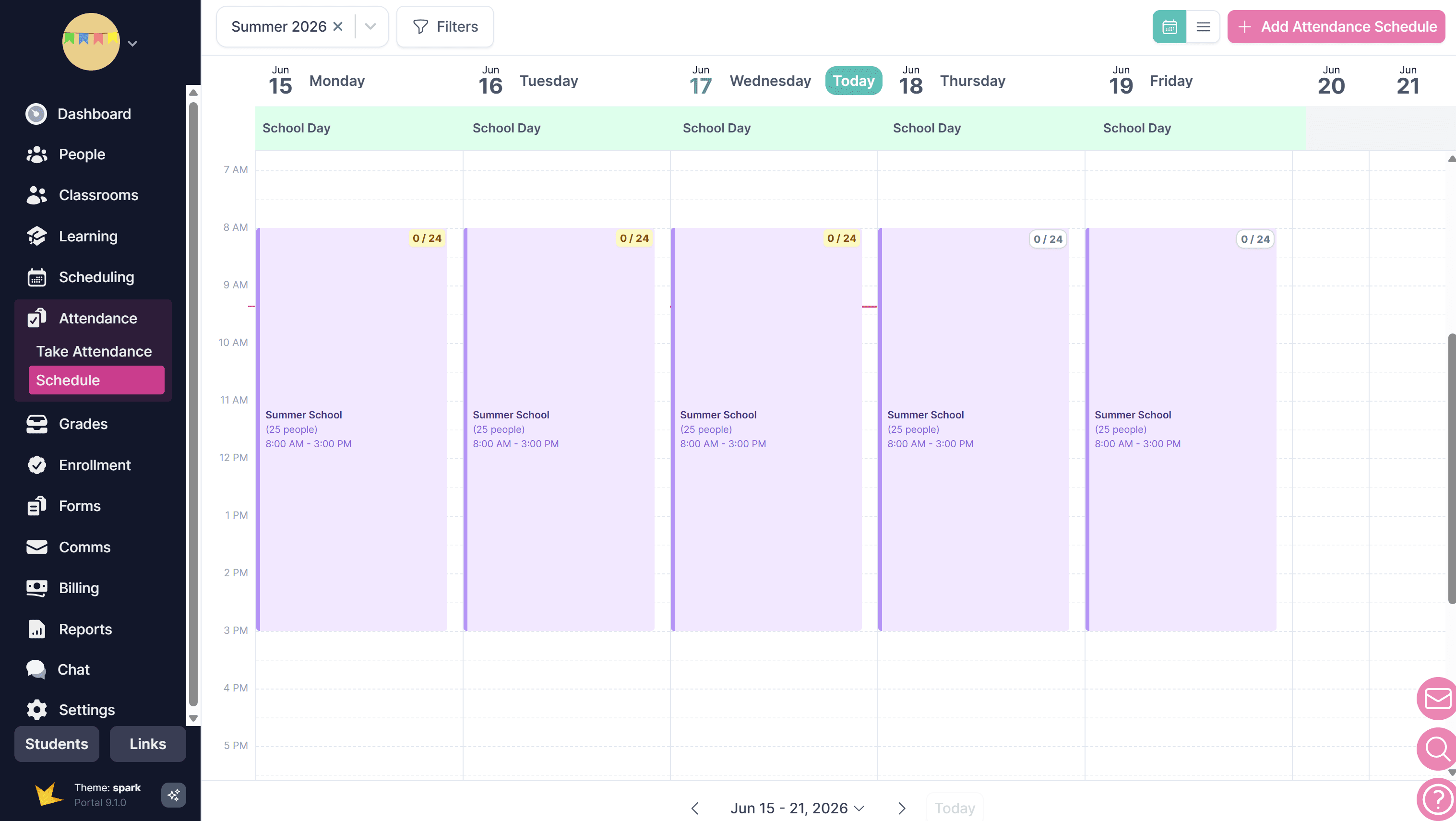
3. Attendance Schedules
Go to Attendance→Schedule or to your Classroom→Schedule tab. Find the date for which you need to record attendance, and click on the colored block indicating an attendance event. Record the attendance for each student as usual.
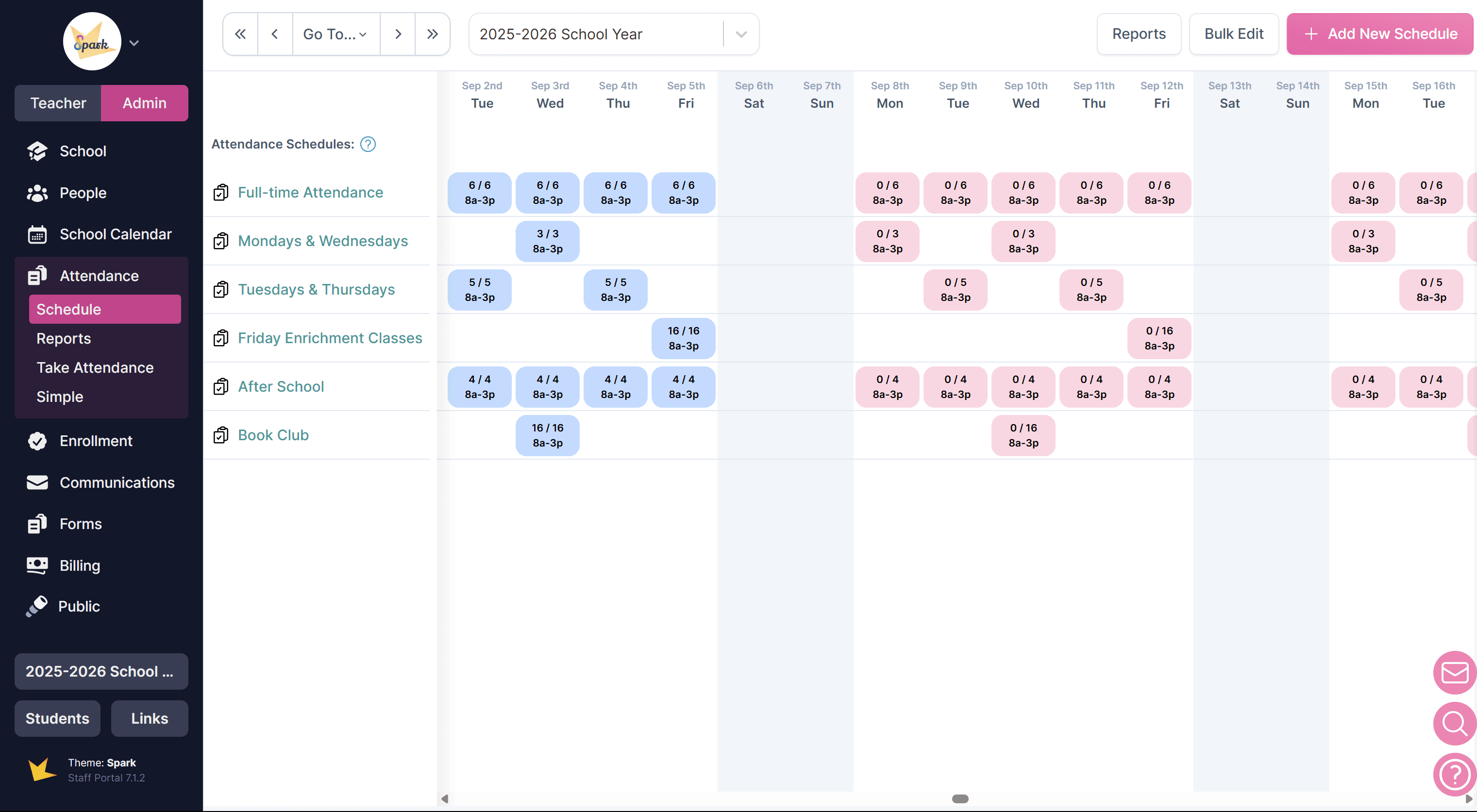
4. Take Attendance Page
Go to Admin→Attendance→Take Attendance and find the date for which you need to take attendance. Record attendance for each student as usual.
Recording Attendance Status
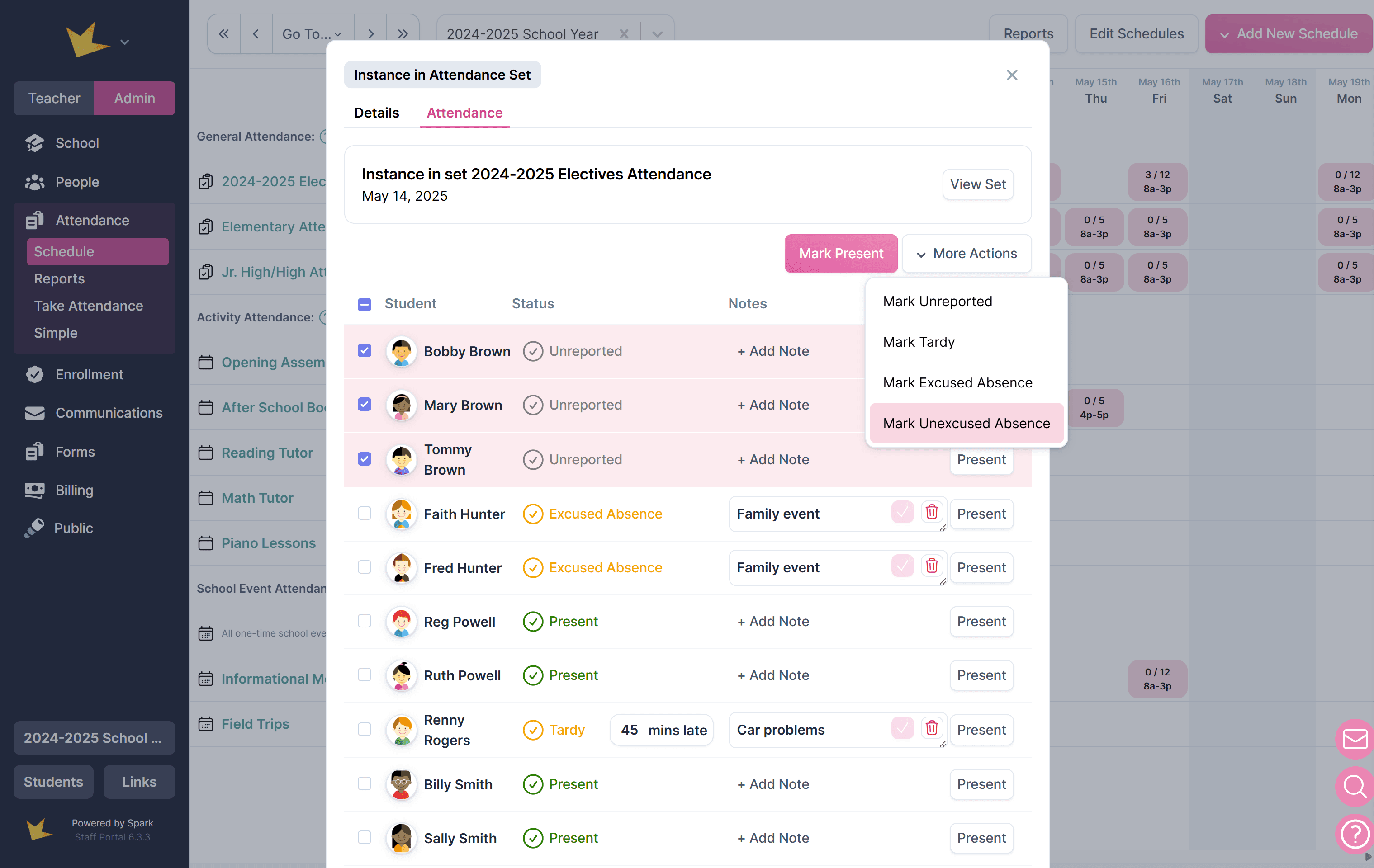
When recording attendance, you can choose from several status options: Present, Unreported, Tardy, Excused Absence, and Unexcused Absence. Notes and arrival or departure times can also be recorded.
To record attendance status,
- Navigate to a recording location (see above).
- Select student(s) by clicking the checkboxes next to their names.
- If present, click Mark Present.
- If not present, click "Mark selected as..." and choose one of the following:
- Excused Absence
- Unexcused Absence
- Tardy (option to add minutes late)
- Exempt
- (Optional) Add Notes to provide additional details.
Recording Additional Information
The time a student arrived or departed can be recorded when the student has either a Tardy or Present status.
Notes can can be recorded, regardless of status.