- Help
- Grades
Live Grades
What Are “Live Grades”?
Live Grades allow grades to be shared in real time on student and guardian portals. This setting is controlled within each individual grade record and is turned off by default.
When Live Grades are enabled, any time a teacher enters or updates a score, the change is immediately visible to the student and/or guardian. If a teacher prefers to wait and share grades later (for example, through a report), Live Grades can remain disabled.
How Do I Enable Live Grades?
Live Grades must be enabled separately for each grade record.
- When creating a new grade record:
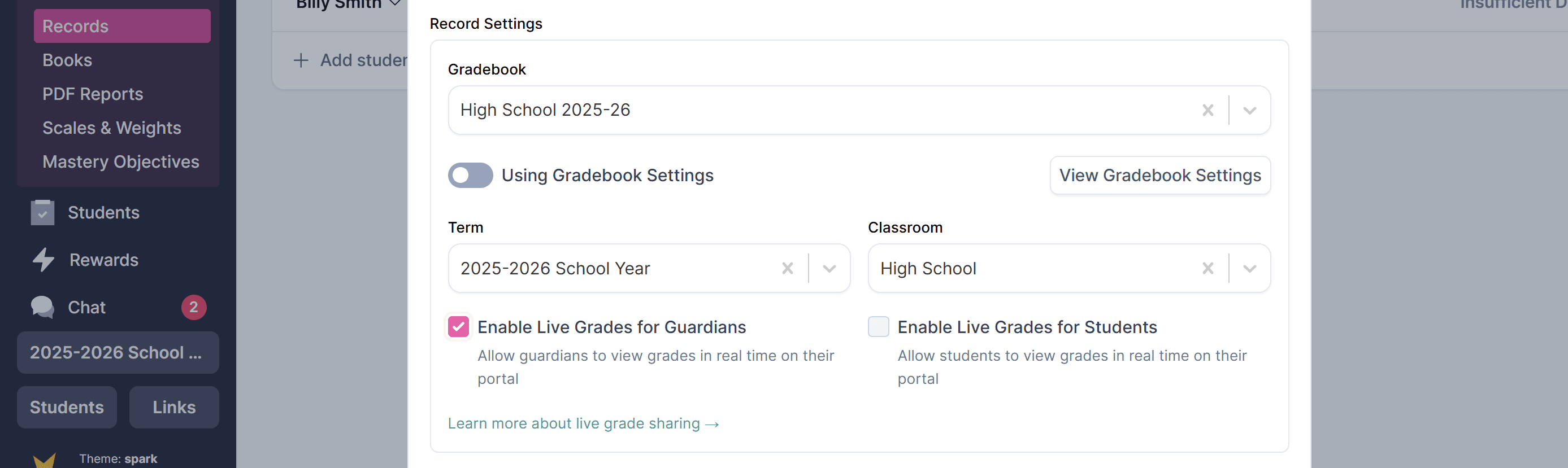
In the Record Settings section, check the boxes to enable live grades with guardians and/or students. - For an existing grade record:
Open the grade record, go to Record Settings, and enable the live grades.
Where Do Live Grades Appear in Portals?
- Guardian Portal:
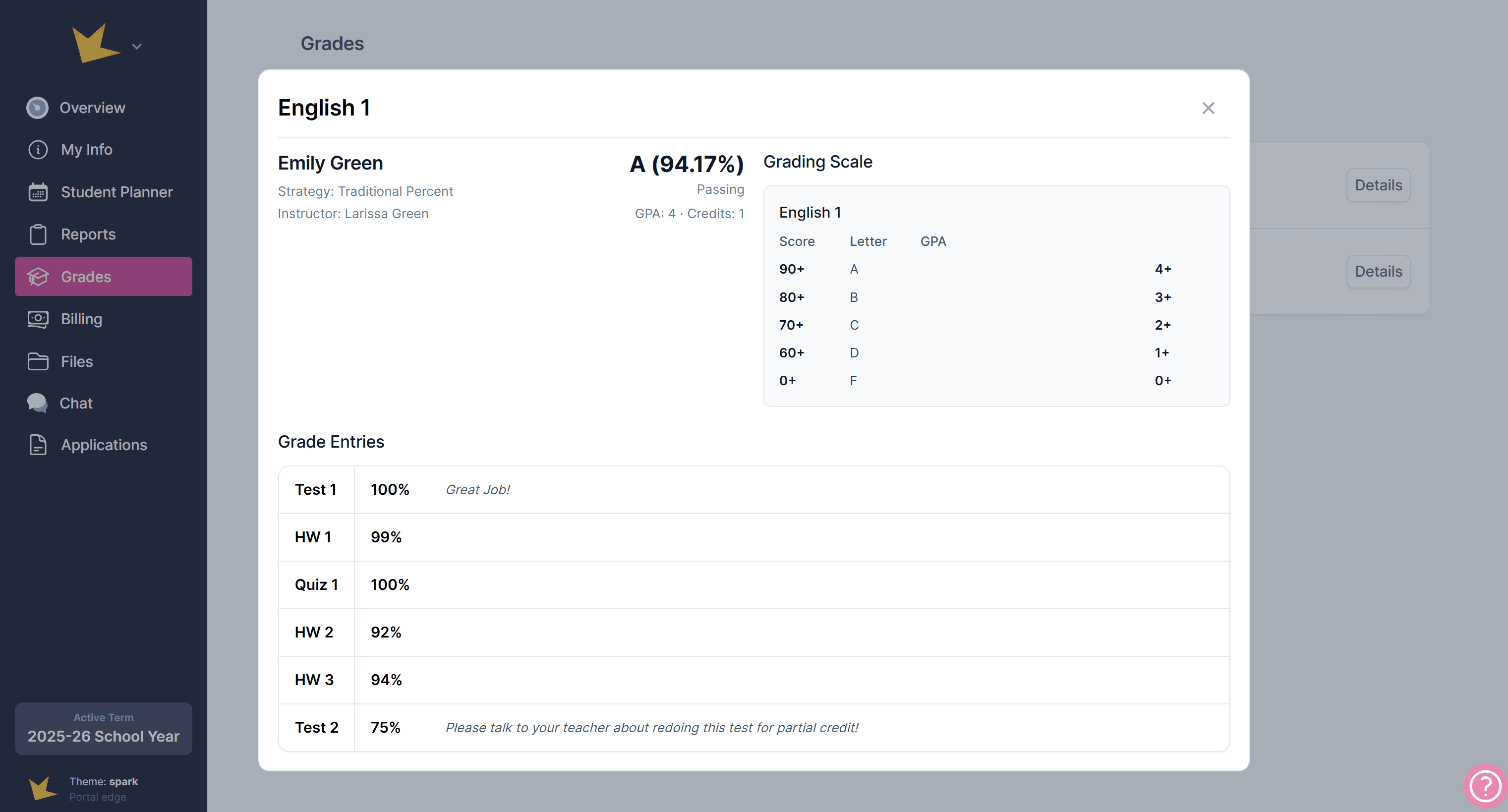
Guardians can view Live Grades on the Grades page. Each shared grade record appears here, and guardians can click into a record to see more details, including individual assignment grades. - Student Portal:
Students can access Live Grades on their Grades page, where they can view their current grade in each class.
Common Questions
Are Live Grades enabled by default?
No. Live Grades are turned off by default and must be enabled individually for each grade record. This gives teachers full control over when grades become visible to students and guardians.
Can I turn Live Grades off later?
Yes. Live Grades can be turned on or off at any time from the grade record settings. When Live Grades are turned off, future grade updates will no longer be visible on student or guardian portals.
When do Live Grades update?
Live Grades update immediately when a grade is saved. Students and guardians may need to refresh their portal page to see the most recent changes.