- Help
- Students
Enrollment & Grade Levels
Spark allows you to track a student’s grade level both currently and as part of their enrollment history.
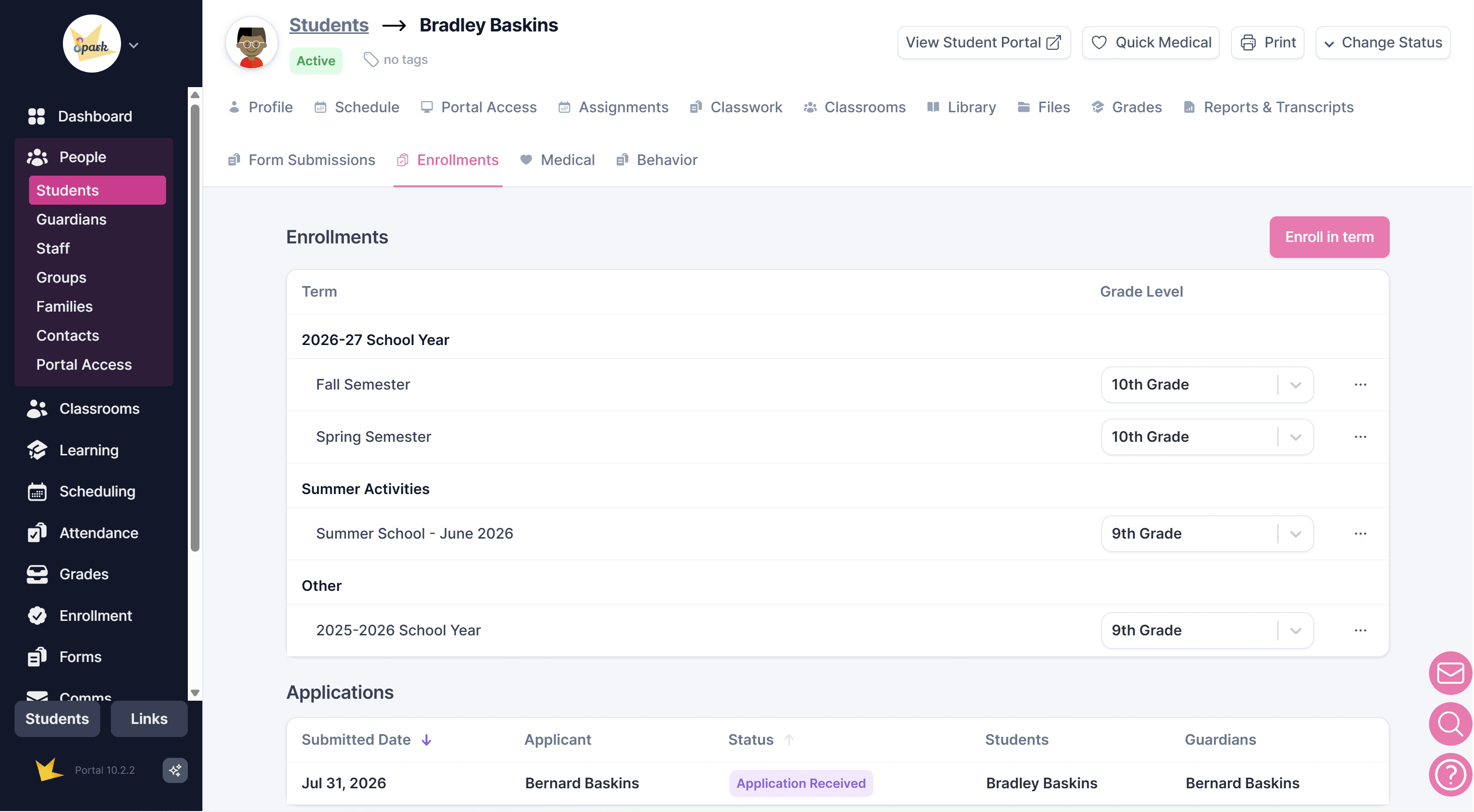
A student’s Current Grade Level on their profile represents the grade level they are presently in. This is the grade level used when you need to identify the student’s current placement.
Students can also have grade levels associated with specific Sessions, Programs, or Academic Years. These enrollment-based grade levels provide a historical record of the grade level a student was in during a particular period.
For example, a student may currently be in 10th grade, while their enrollment history shows that they were in 9th grade during the previous academic year. Keeping grade levels with enrollment records allows you to maintain an accurate history as students progress.
Updating Current Grade Levels
You can update the current grade level for one or more students at the same time from People → Students.
- Select the students you want to update.
- Click Actions.
- Select Update Current Grade Level.
- Choose a specific grade level, or select Increment to Next Level to automatically move each selected student to the next grade level.
The increment option is useful when updating grade levels at the end of a school year or other enrollment period.
Enrollment Grade Levels
Grade levels associated with a specific enrollment are managed within Enrollment areas. There are several places to manage student enrollment:
- In the student’s Enrollments tab
- Within a Session, found in Scheduling → Sessions
- In the Enrollment section
An enrollment grade level represents the grade the student was in for that particular Session, Program, or Academic Year.
Customizing Grade Levels
You can customize the grade levels available to your school by navigating to Settings → Grade Levels.
The grade levels you create are available throughout Spark, including:
- Student profiles
- Enrollment applications
- Enrollment records
- Student filters and reports
- Other areas where grade level information is used
You can create traditional grade levels such as Kindergarten through 12th Grade, as well as custom levels that fit your organization. This can be useful for schools and programs that use preschool levels, adult education levels, developmental levels, or another grading structure.
Once a grade level is created, it can be used consistently throughout your student and enrollment records.