- Help
- Students
Student Portal Use
The Student Portal gives students access to the information, activities, and tools they need to manage their schoolwork and stay connected with their school.
Students can use the Student Portal to:
- Assignments & Grades – View assignments and goals, complete and submit work, track progress, and review feedback and grades.
- Events & Calendar – View daily activities, classroom events, school events, holidays, and other important dates.
- Classes – View information about their classes.
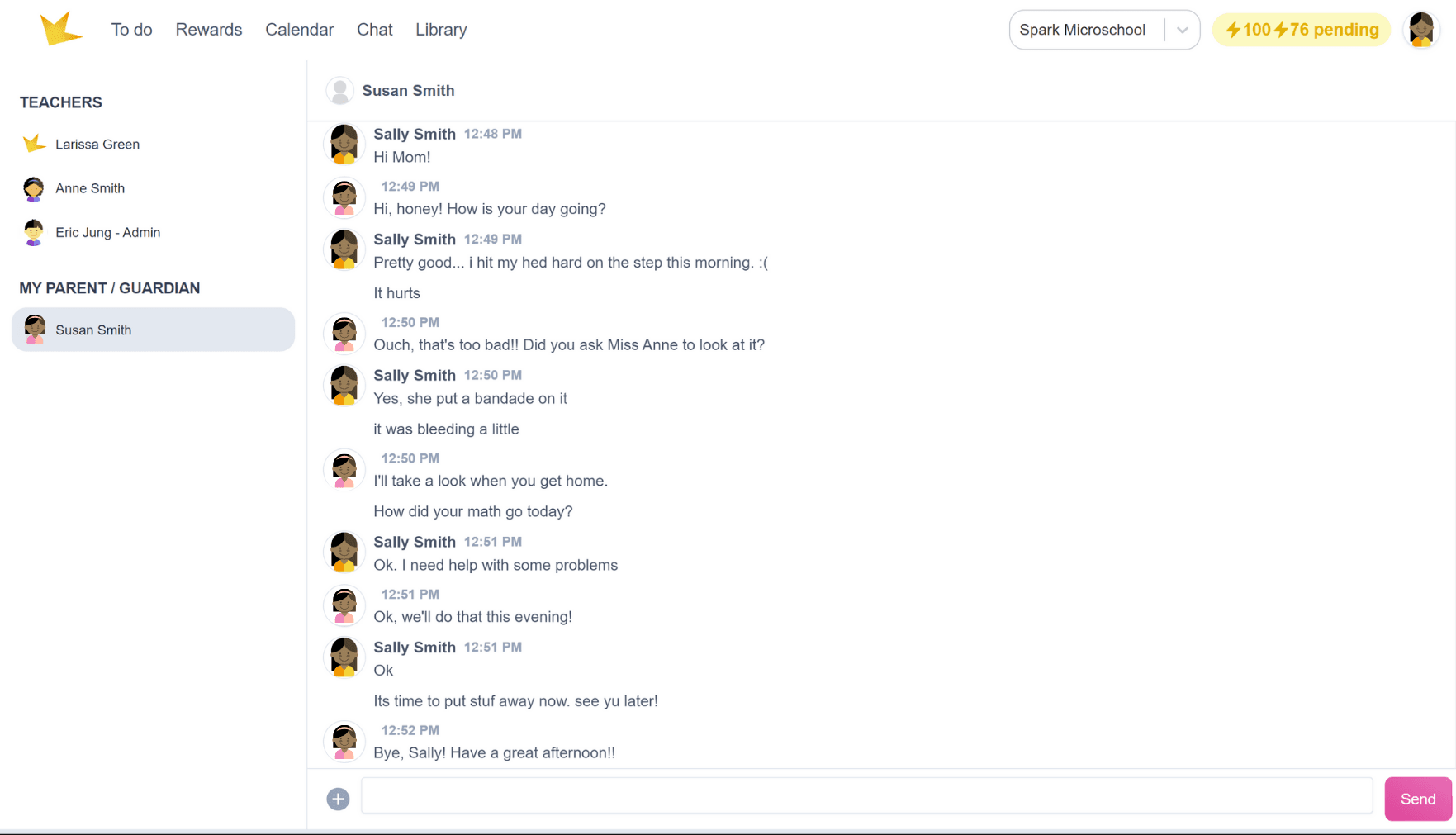
- Chat – Communicate with teachers, guardians, and classmates, when enabled.
- Rewards – View points, badges, and other rewards they have earned and redeem available rewards.
- Library – Track and review books they have read.
To-Do Views
The To-do page is the main page students see when they enter the Student Portal. It provides two ways to view their assignments, goals, events, and other classroom information:
- List View – A traditional assignment-focused view that makes it easy to see and manage work that needs to be completed.
- Timeline View – A chronological view of classroom activities that gives students a broader picture of what is happening each day.
Students can toggle between List and Timeline views using the view selector on the To-do page.
Students can also use the Classroom and Subject filters to control which information is displayed. Toggle between these filters to view information organized by classroom or by subject.
List View
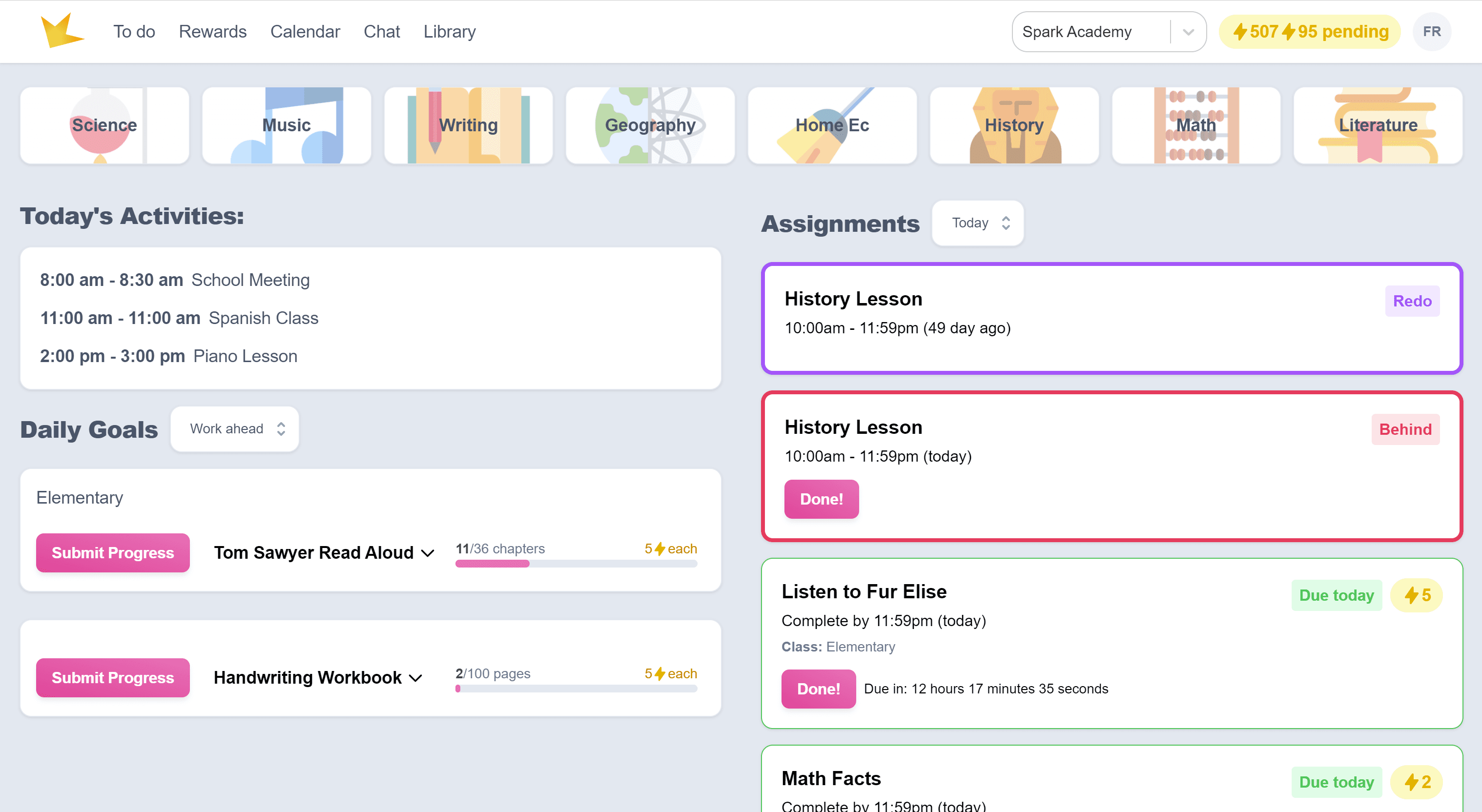
The List View provides a focused view of assignments and goals.
- The right column displays assignments.
- The left column displays goals.
- Assignments are color-coded to indicate whether they are due today, late, or require revision.
- Use the dropdown menu to view past submissions or upcoming assignments.
- Use the Classroom or Subject filters to narrow the information displayed.
Timeline View
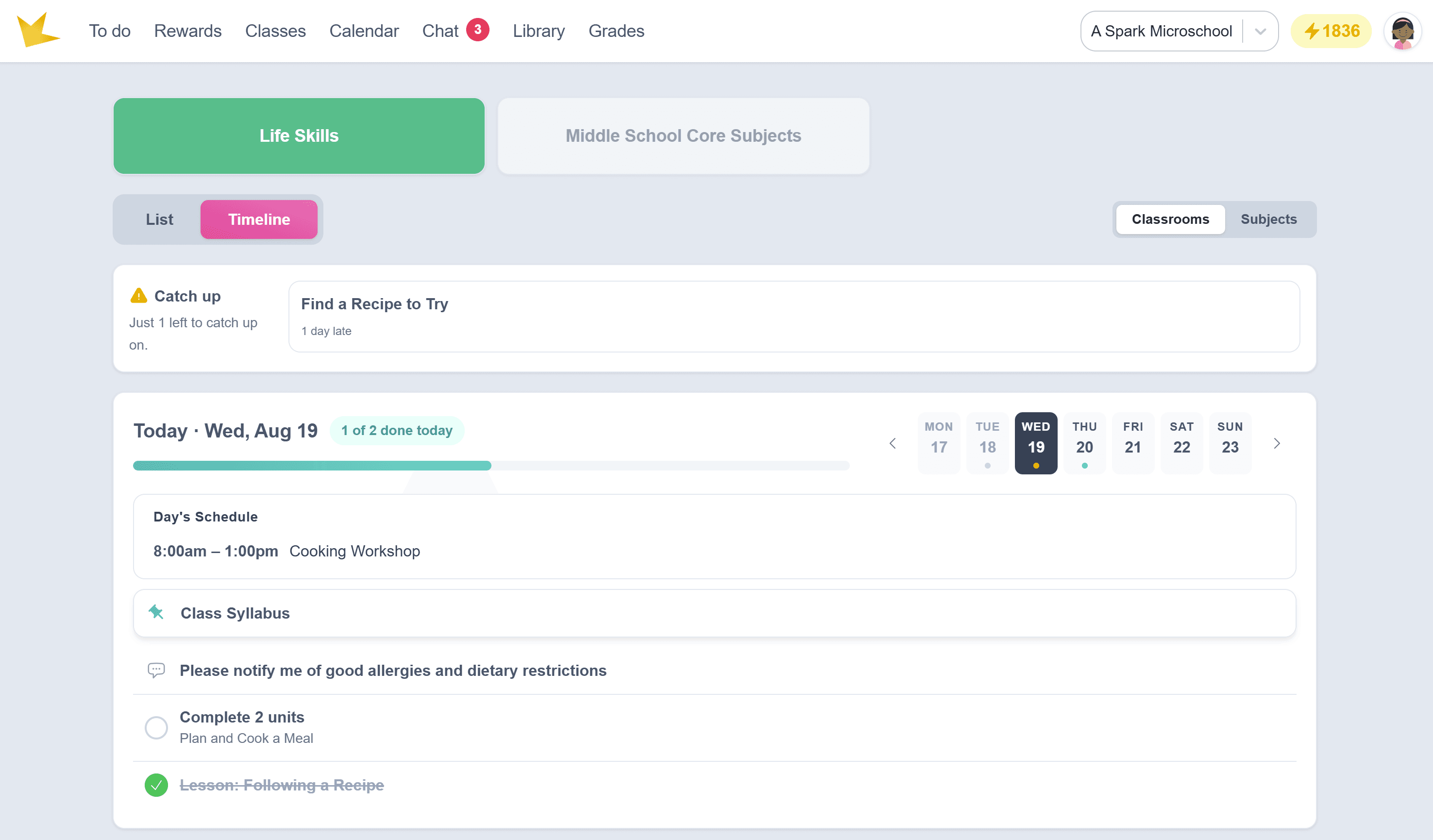
The Timeline View displays classroom information chronologically, giving students a daily view of their school activities.
Information posted to a classroom's Class Stream appears in the Timeline, including:
- Assignments and goals
- Events
- Resources
Students can select different dates to look ahead at upcoming assignments, events, and other classroom information.
Catch Up
Late assignments appear at the top of the Timeline in the Catch up section, making it easy for students to see work that still needs to be completed.
Daily Progress
When viewing today's date, students will see a progress bar showing their progress for the day as they complete their work.
Assignments and Goals
Students can access assignments and goals from either the List View or Timeline View of the To-do page.
In List View, assignments and goals are displayed in their respective columns.
- The right column displays all assignments, while the left column lists goals.
- Assignments are color-coded to indicate due today, late, or requiring revision.
- Use the dropdown menu to view past submissions or upcoming assignments.
- Click the Goal Progress Bar to view progress and suggested pace.
In Timeline View, assignments and goals appear on the appropriate date in the Class Stream.
Viewing Instructions, Attachments, and Links
In either the List or Timeline view, students can click on an assignment or goal to access
- instructions
- attachments (including worksheets, reading materials, and videos)
- links to outside websites
- submission requirements
Making Submissions
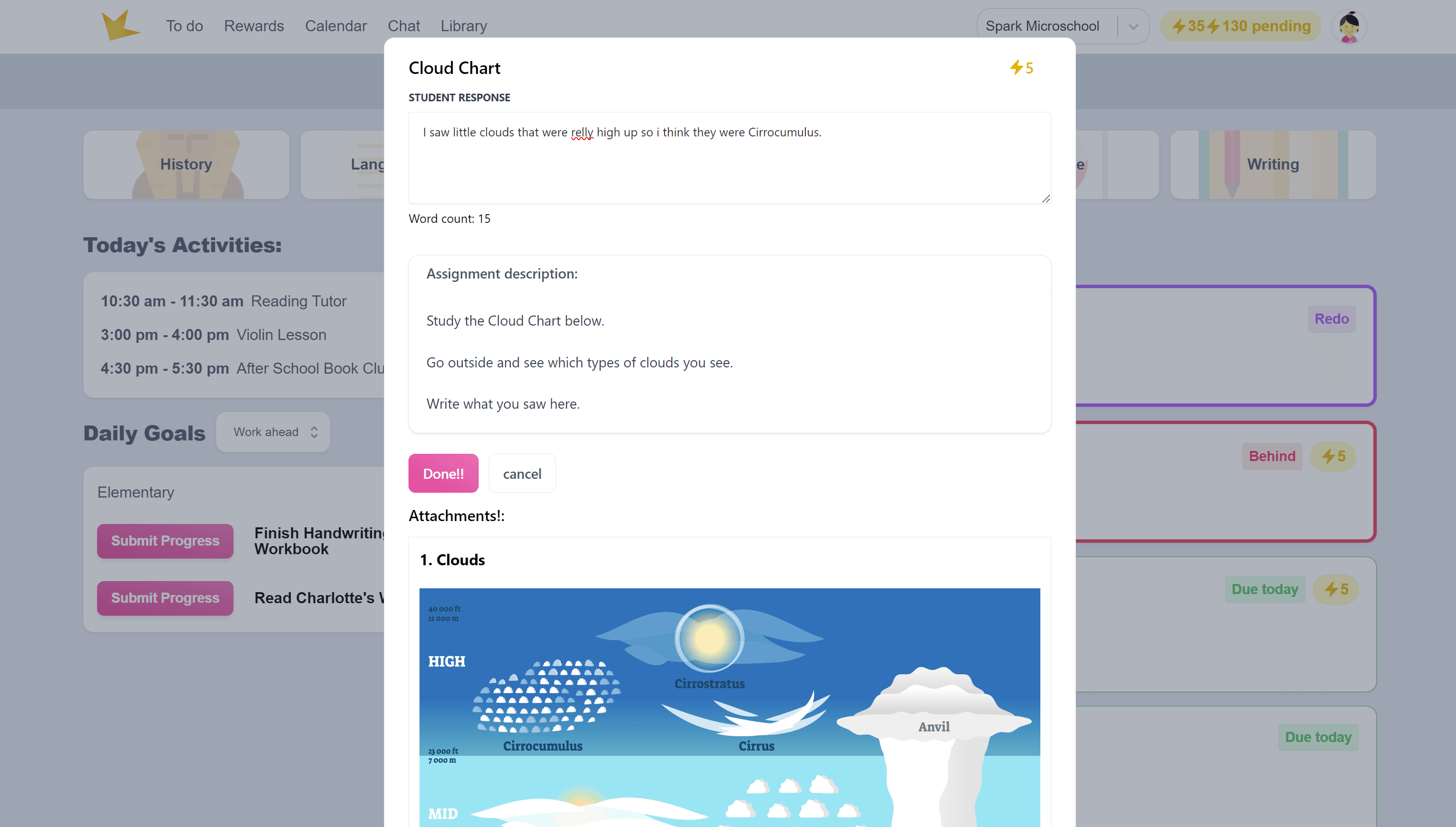
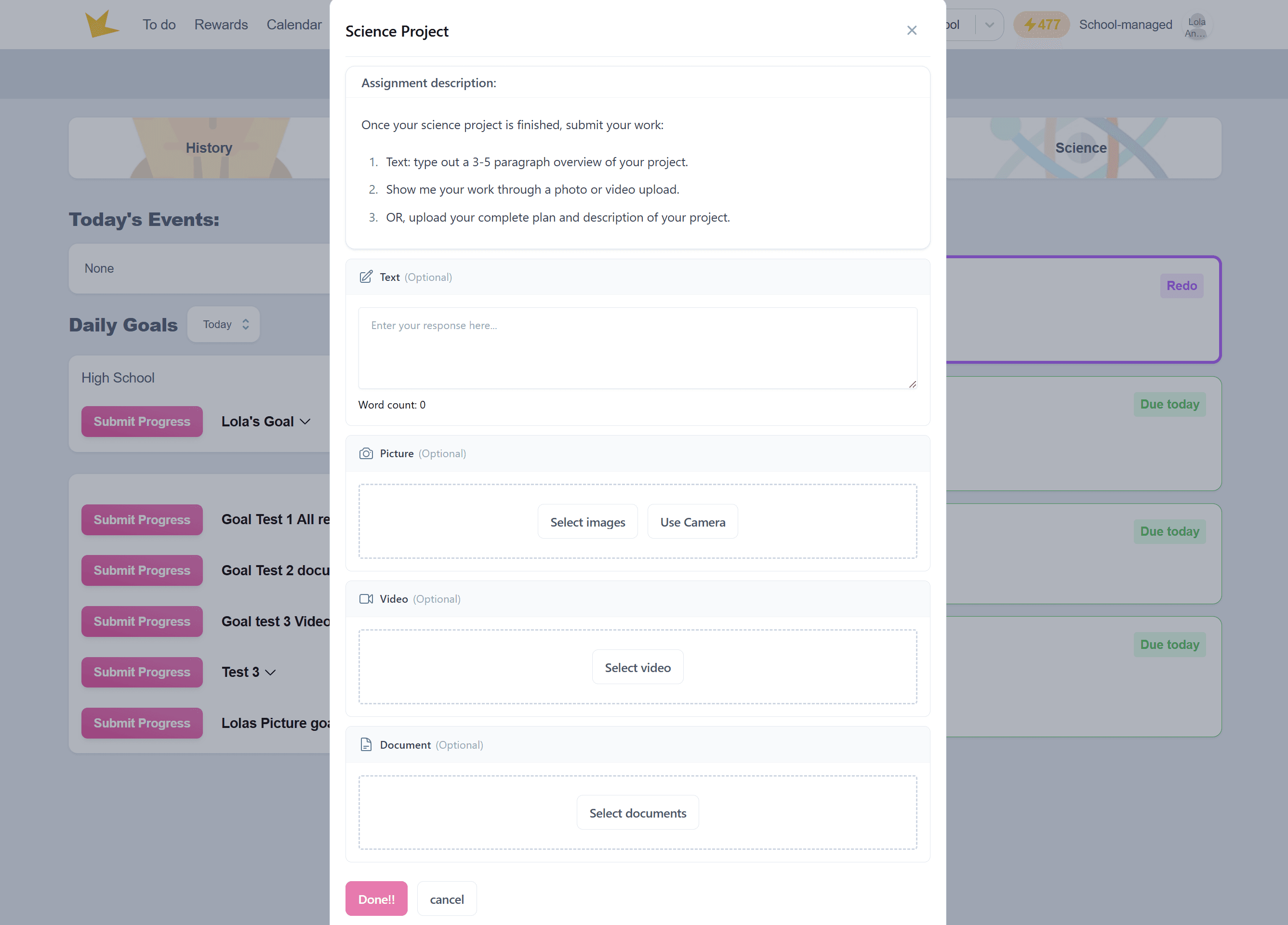
Once an assignment is completed, students can submit their work directly through the portal using the method specified by the teacher:
- Confirmation – Mark the assignment as complete.
- Text Response – Enter a written answer.
- Picture – Submit a photo of the work.
- Video - Upload a video of your work.
- Document - Submit a document (eg, Word doc or PDF).
Past submissions can be reviewed using the dropdown menu in the List view, or by going to a past date on the Timeline view.
Teachers may give students options for how they respond to an assignment. When multiple response types are enabled, all available options will be displayed to the student.
If a response type is marked as Required, the student must upload or complete that response before the assignment can be submitted.
Viewing Feedback & Grades
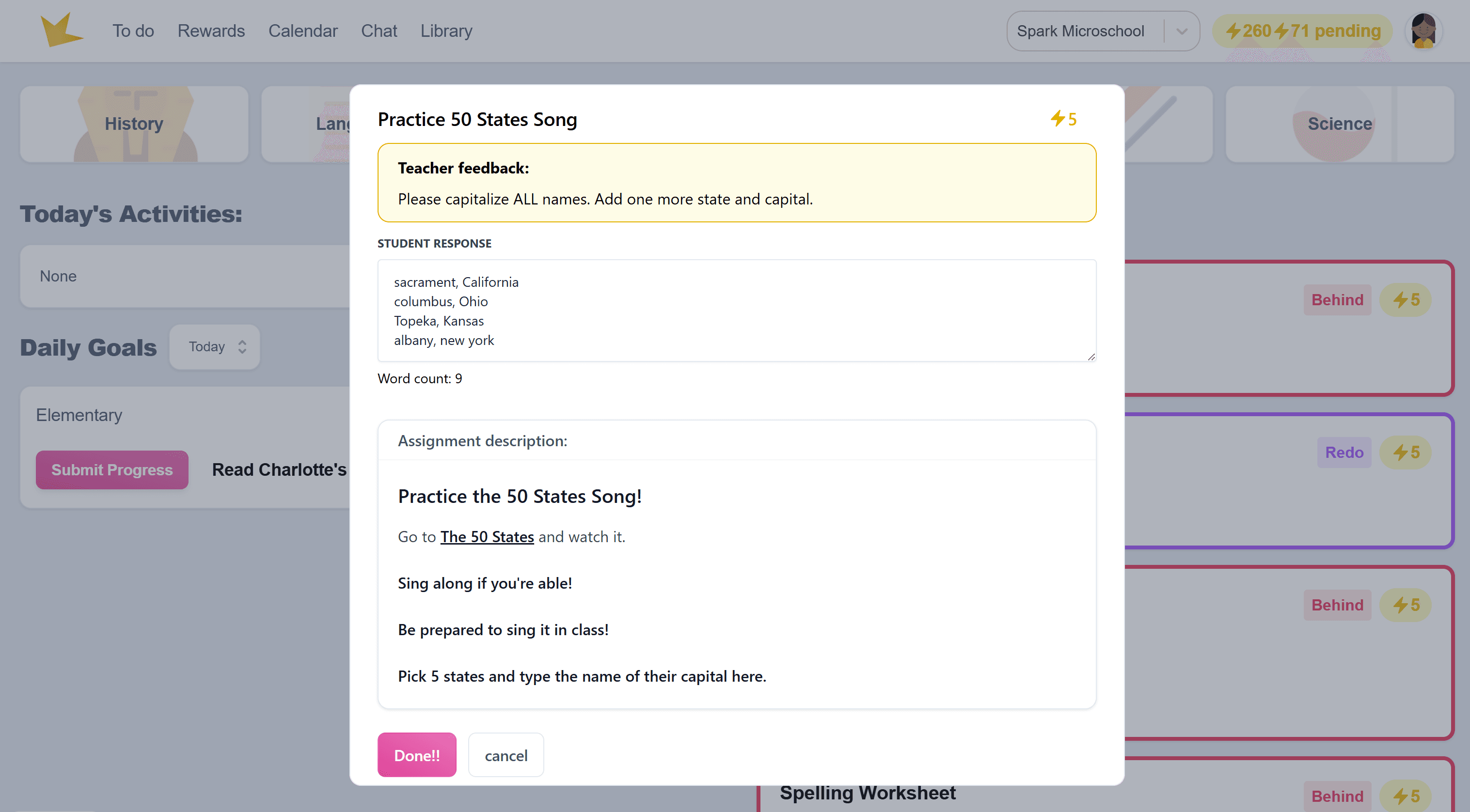
- After an assignment is graded, students can view feedback and comments from their teacher by selecting the submission and clicking on it.
- Feedback will also appear in the student's chat for easy access.
- Students can also view the overall grades in their classes by going to the Grades page. Only grade records with this setting enabled will appear here.
Redoing Assignments
- If an assignment is sent back for redo, it will appear at the top of the list on the List view, outlined in purple, or on the Timeline view with a "Redo" indicator.
- Students can click on the assignment to view feedback and resubmit their work through the portal.
Events
Students can view events in several places throughout the Student Portal.
Events in List View: Events for the day are displayed on the To-do page in Today's Activities.
Events in Timeline View: Events posted to a classroom's Class Stream appear on the appropriate date in the Timeline. Students can select the date to view the event and any additional information provided by the teacher.
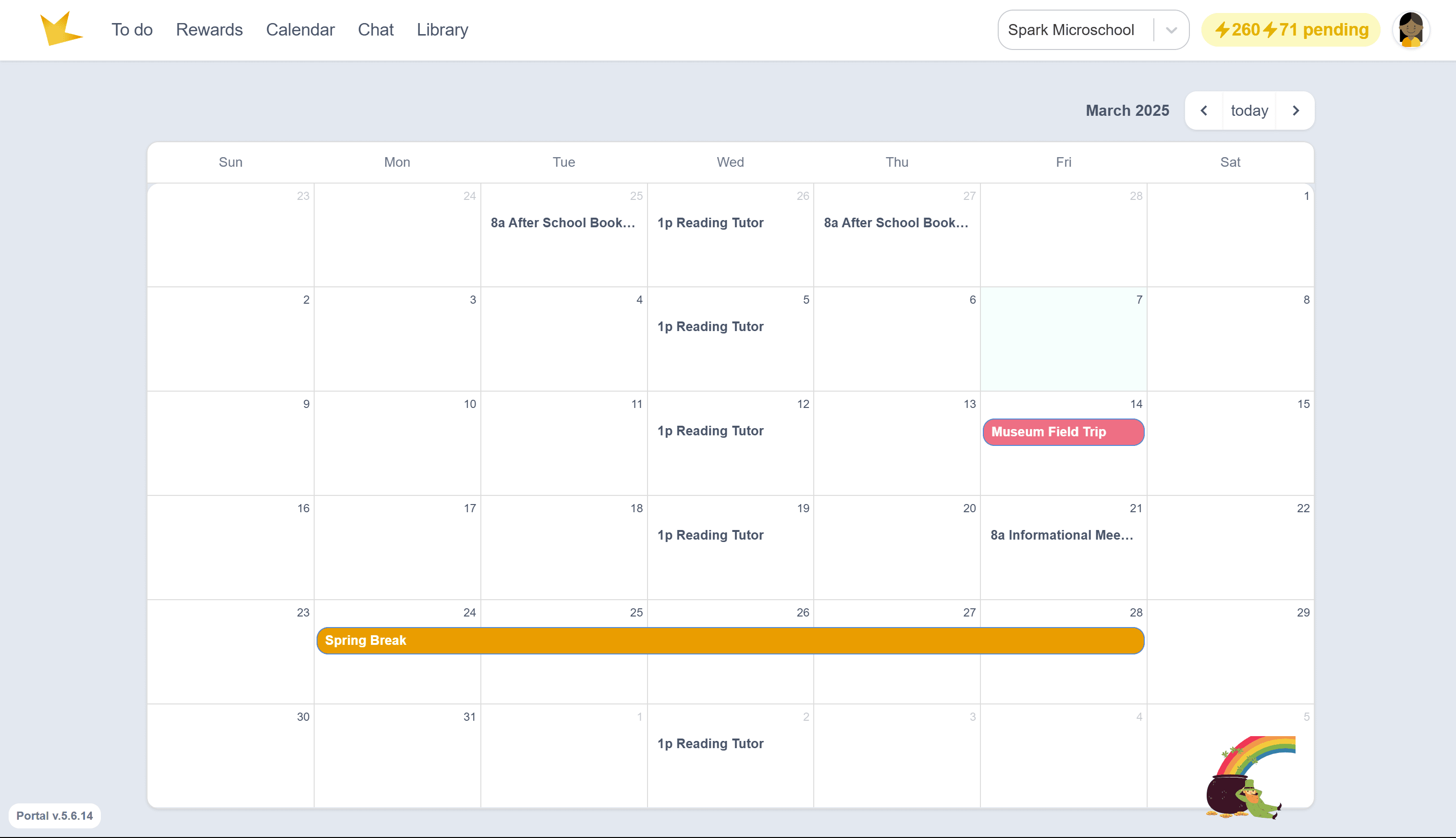
Events on the Calendar: Students can also view events by clicking Calendar at the top of the Student Portal. The Calendar displays important dates such as:
- School events
- Holidays
- Academic dates
The Calendar provides a broader view of upcoming school dates, while the Timeline provides a daily view of classroom information and activities.
Grades
Go to the Grades page to view grades as they are entered by teachers. Note: Grades can only be viewed here if Live Grades are enabled in the teacher's grade record.
Classes
The Classes page allows students to view information about their classes.
Rewards
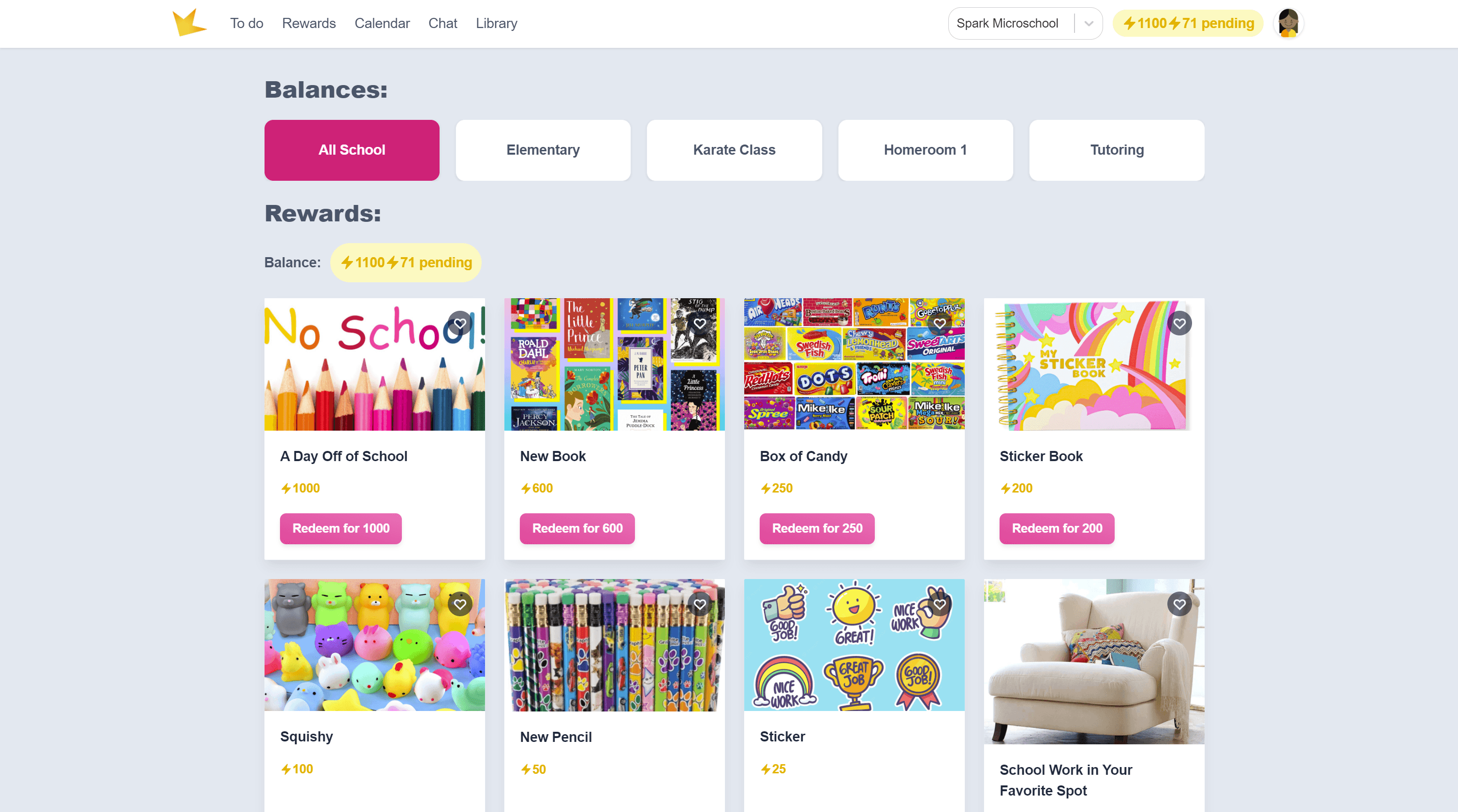
The Rewards section allows students to purchase rewards with the points they've earned.
- Earn points by submitting assignments and goals. Teachers approve the submission and award points to the student.
- Click Rewards at the top of the page to view and redeem available rewards.
- Different classrooms may have unique reward stores—switch between them by selecting the classroom name in the Rewards section.
Library
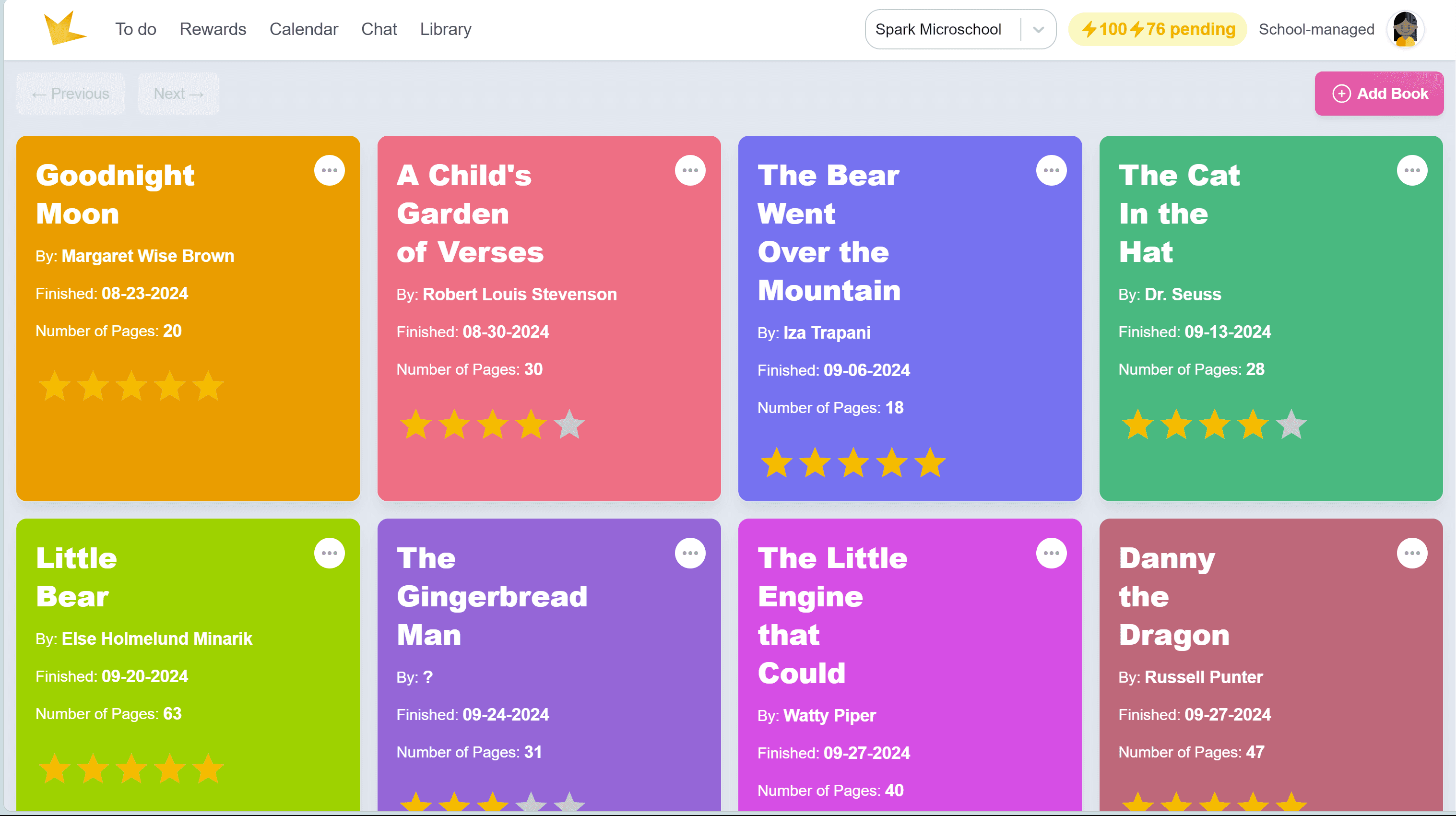
The Library lets students track and review books they’ve read.
- Students can rate books and write a summary if desired.
- Click Library to access and manage book records.
- Teachers can record books on behalf of students in the Library tab of a student profile.
Chat
Students can communicate with teachers, guardians, and classmates through Chat, when enabled.
- Click Chat, then select a teacher, guardian, or classmate from the list.
- Admins can disable student-to-student chat if needed.