- Help
- Students
Behavior Reporting
Recording Behavior
Behavior records can be kept on the Behavior tab of a student's profile. You can record both behavior incidents and positive behavior, and share incident records with parents or guardians when needed.
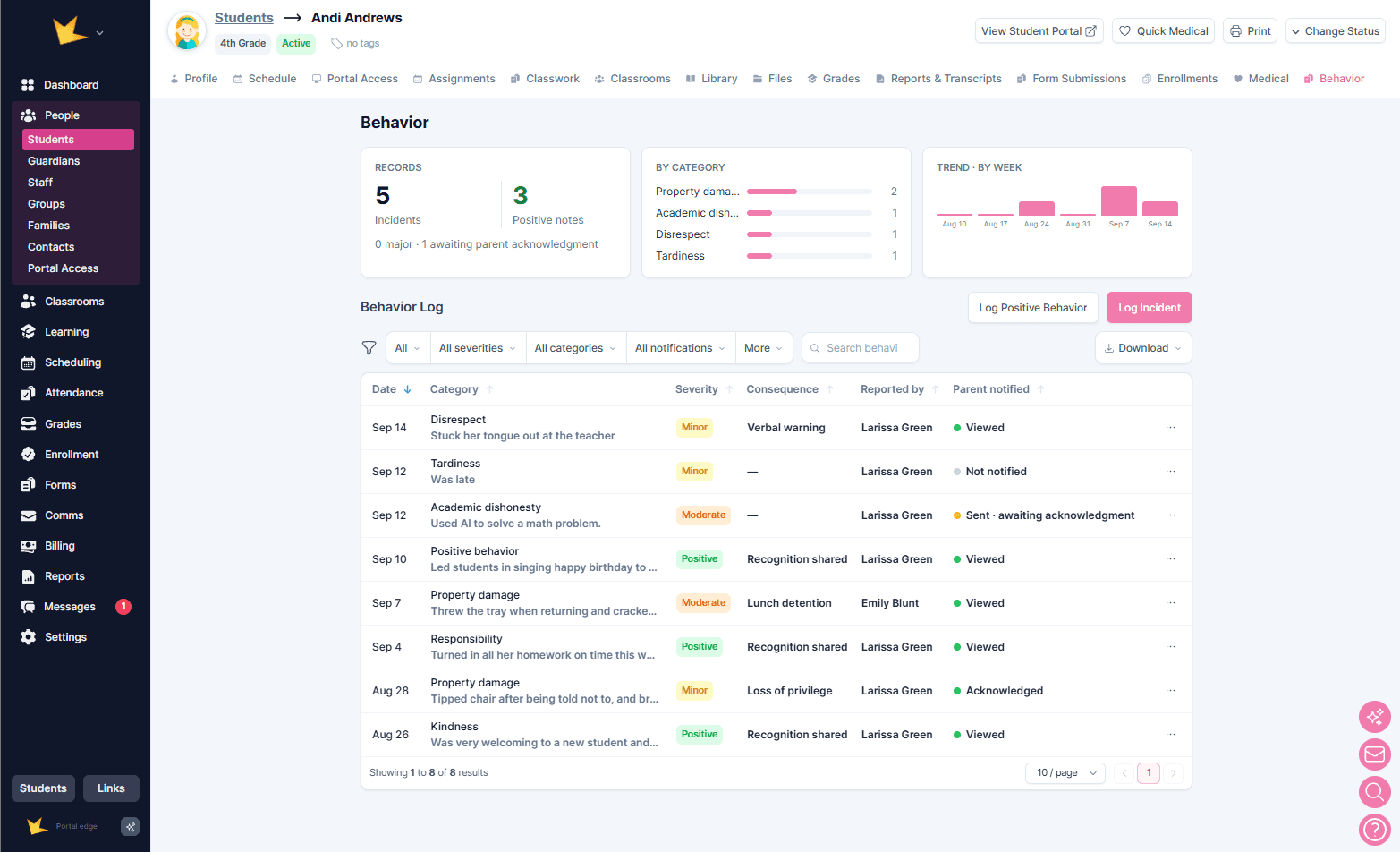
To record a behavior record, select Log Incident and enter the relevant details. Depending on the record, you can include:
- Date, time, and location
- Category, such as Disruption, Physical Aggression, Tardiness, Responsibility, Leadership, or Kindness
- Severity level
- Description
- Witnesses
- Disciplinary actions
Notifying Guardians
After recording an incident, you can choose whether to notify the student's parents or guardians.
Notifications can be sent by:
- Guardian Portal
- Both email and the Guardian Portal
Incidents posted to the Guardian Portal remain available there as a record for guardians to reference.
You can also require guardian acknowledgement. When acknowledgement is required, guardians can click a button in the email or in the Guardian Portal to confirm that they have seen the notification. If the family has not acknowledged the notification within 48 hours, one reminder email is sent.
Student Behavior Overview
A summary of a student's behavior is displayed at the top of their Behavior tab. The overview includes:
- Total number of incidents and positive behaviors
- Number of incidents by category
- Number of behavior records for each of the past five weeks
Recording Behavior in a Classroom
Behavior can also be recorded directly from a classroom's Behavior tab.
To record behavior from a classroom, select Log Incident and enter the details, including the student involved. You can record the same information available when logging behavior from a student's profile.
A summary of the classroom's behavior records and trends is displayed at the top of the page.
Viewing School-wide Behavior Records
School-wide behavior records and trends can be viewed under Reports → Behavior.
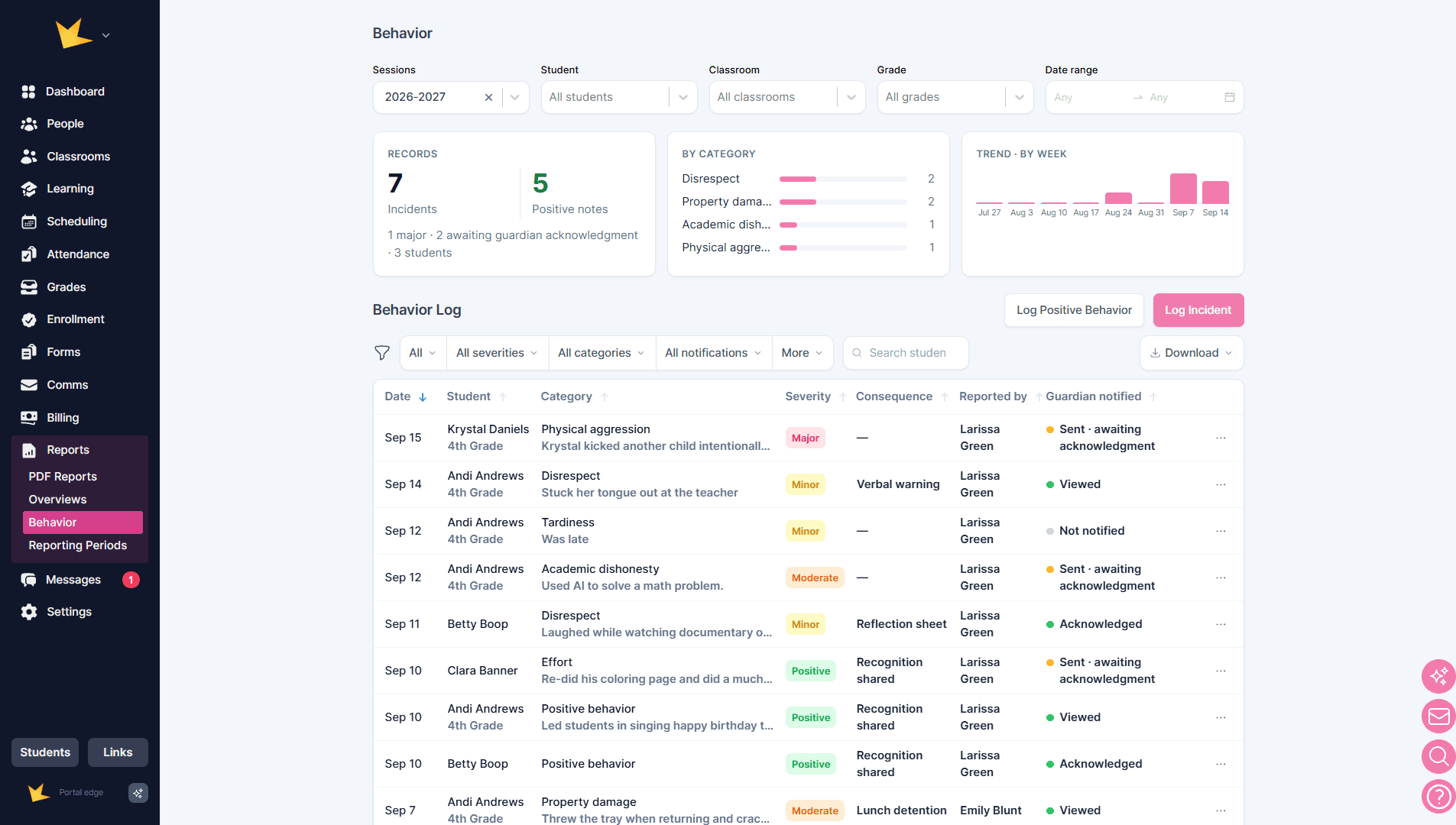
Use the available filters to focus the overview and logs on specific records. The overview and logs can be filtered by:
- Session
- Student
- Classroom
- Grade
- Date range
The behavior logs can also be filtered by:
- Severity level
- Category
- Notification status
Behavior logs can be downloaded for recordkeeping or further review.