- Help
- Introduction
New Navigation Guide
Spark’s New Navigation
Released in June, 2026
Spark received a navigation update designed to make moving through the platform simpler, clearer, and more efficient.
As Spark has grown, so have the tools available to help schools manage academics, administration, billing, communication, and more. This update reorganized navigation to make features easier to find and workflows easier to follow.
This guide gives you a look at what has changed.
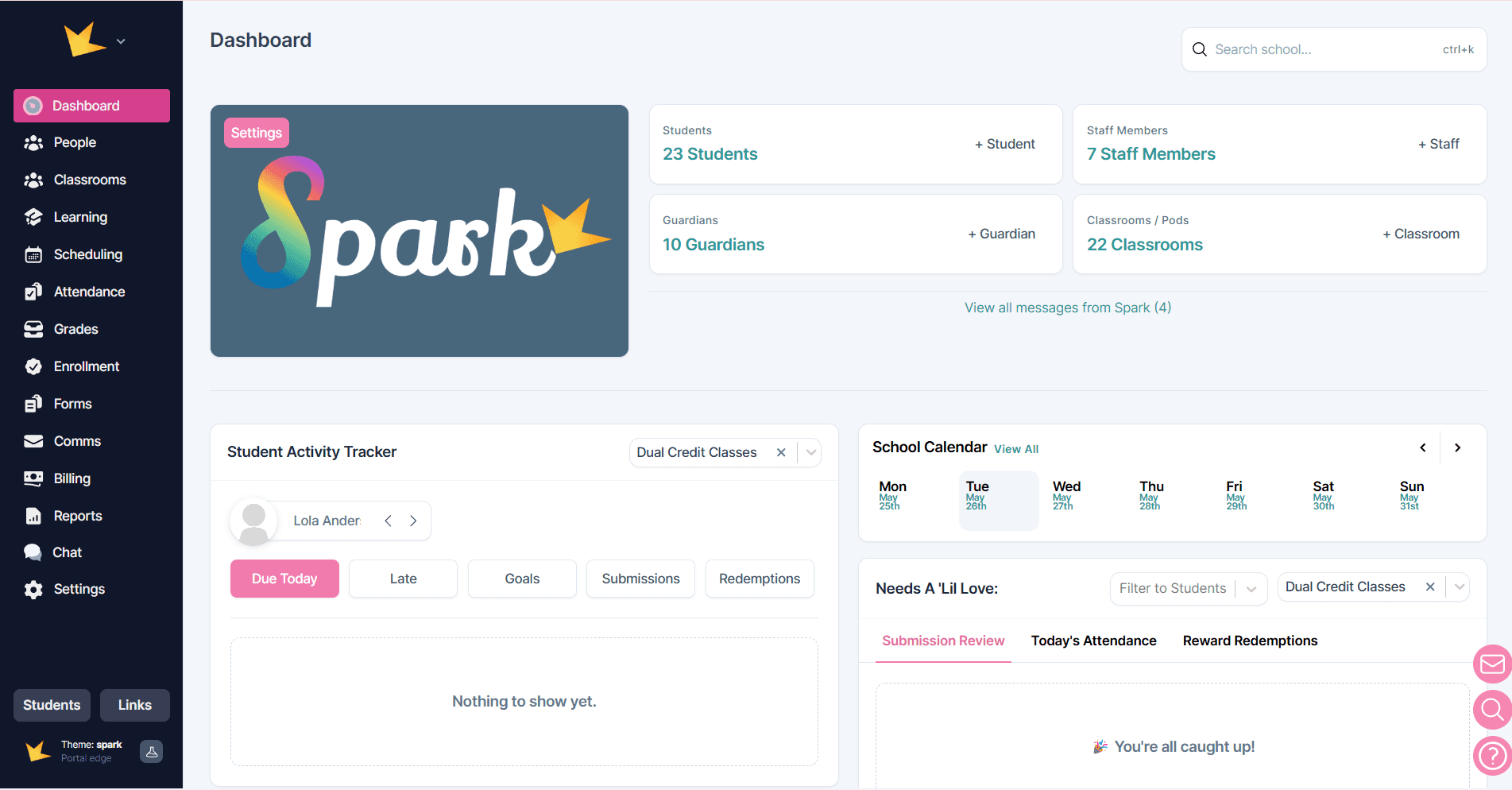
What’s Changed?
Admin navigation is removed
Previously, Spark separated some tools between Teacher and Admin navigation.
With the update, that separation has been removed.
This means faster access to tools like:
- People
- Attendance
- Enrollment
- Billing
- Comms
- Reports
- Forms
School has become Settings
The Admin -> School area has been renamed and reorganized as Settings.
This is the central place for school setup and configuration, including things like:
- School settings
- Subscription details
- Locations
- Files
- Public-facing settings
Learning tools are grouped together
Several academic tools that used to be separate top-level navigation items are now grouped under a new Learning section.
This includes:
- Student Planner
- Courses
- Subjects
- Rewards
This change is designed to keep teaching and learning tools organized in one place.
Terms are updated
Spark’s current Terms structure has evolving into a more flexible organizational model.
With this update:
- Terms have become Sessions
- Sessions can function independently
- Sessions can also exist within larger structures like Academic Years or Programs
This change provides more flexibility for organizing your school.
Learn more about Sessions here → New Term Structure Guide
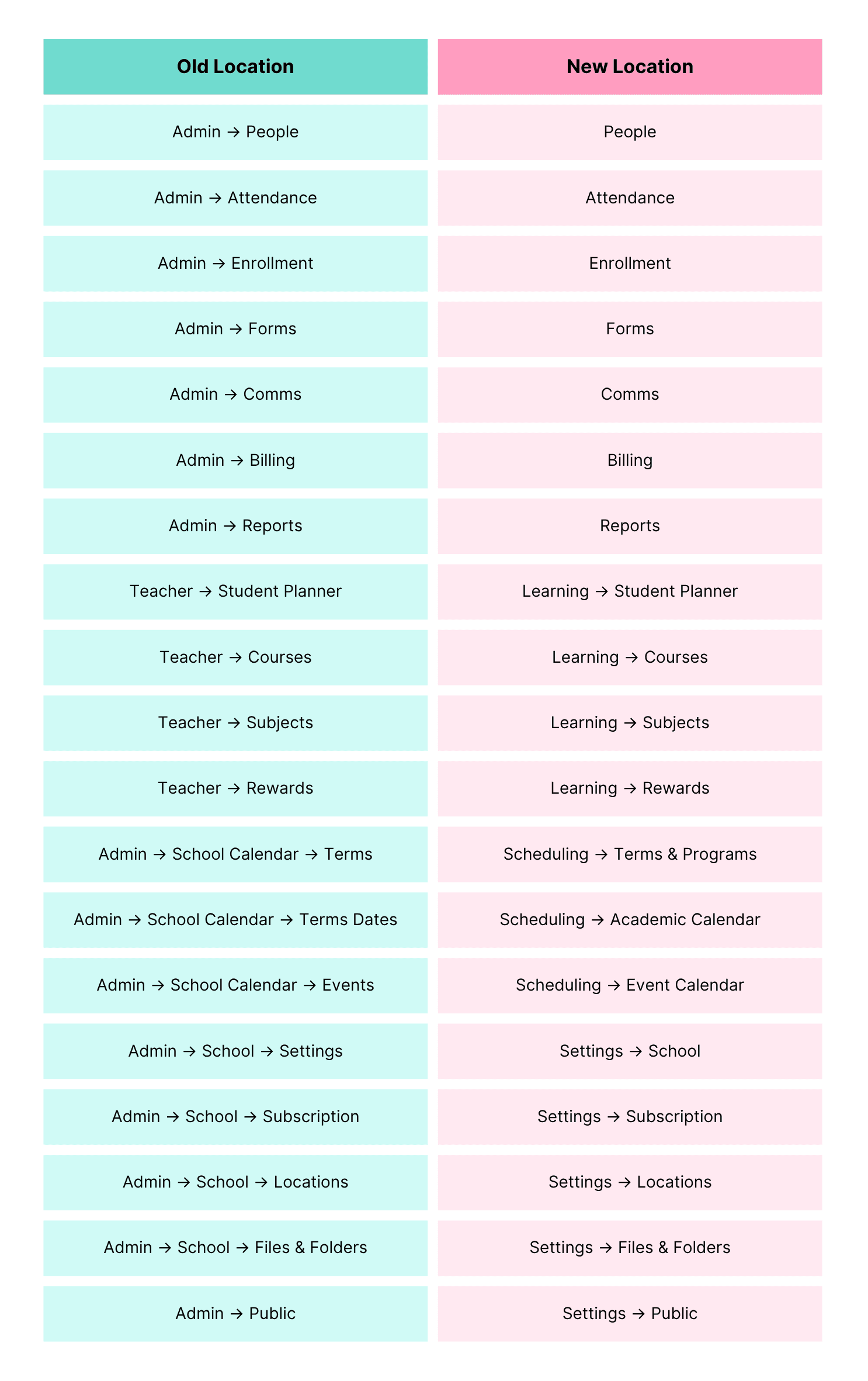
Old → New Navigation Map
Why We’ve Made These Changes
This navigation update is designed to make Spark easier to use by:
✅ Reducing clicks to access important tools
✅ Creating clearer organization across the platform
✅ Grouping related tools together for better workflow
✅ Making Spark easier to learn for new staff and families
Frequently Asked Questions
Did my data move?
No. Your data remains exactly where it is. This update changes navigation and organization—not your records.
Have any features been removed?
No. Existing features are still available—they’re simply organized differently.
What if I want the old menu back?
You can click the star symbol at the bottom of the left navigation bar to revert back to the old menu.
Do all users see the same navigation?
Navigation visibility still depends on user permissions and classroom access.
Need Help?
Questions about the changes? Reach out to support—we’re happy to help. Email us at hello@sparkschools.co